
$3.25
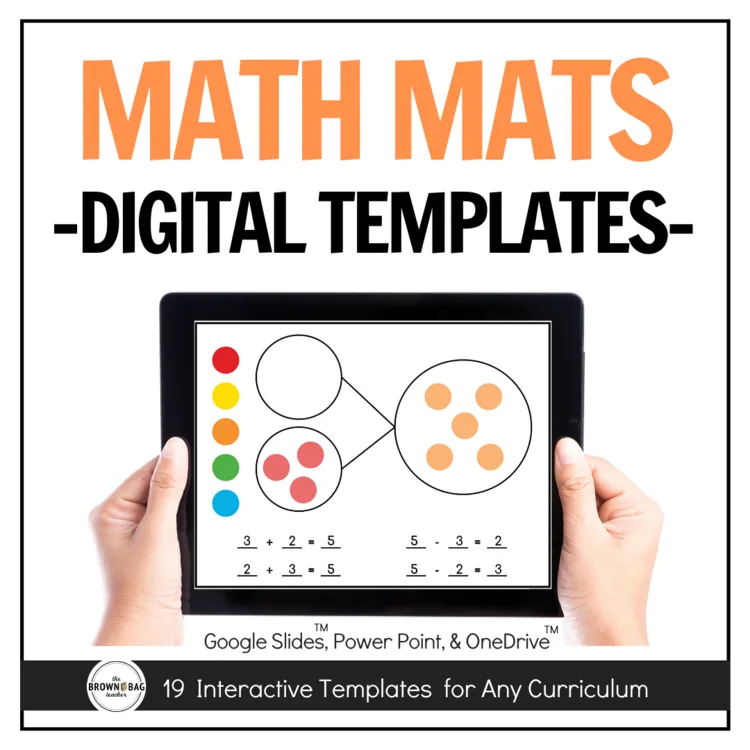
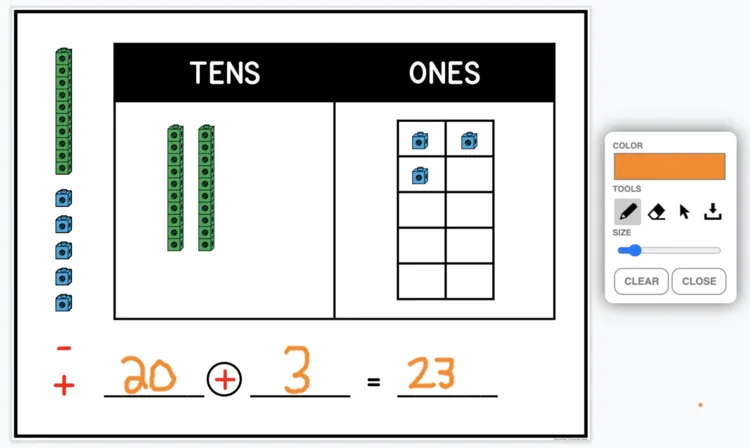
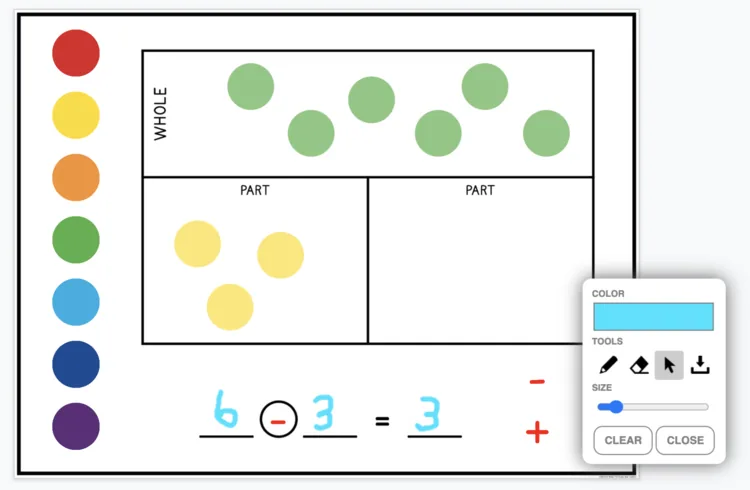
Enhance your math instruction with our Digital Math Manipulatives! This set includes interactive tools for place value, number bonds, and 100s chart math mats, designed for engaging and effective digital learning.
Enhance your math instruction with our Digital Math Manipulatives! This set includes interactive tools for place value, number bonds, and 100s chart math mats, designed for engaging and effective digital learning. Perfect for elementary math classrooms and virtual instruction, these resources support number sense development and math practice.
Manipulatives are a CRITICAL part of our primary classrooms. They offer students a real, hands-on way to explore a mathematical concept and build their own meaning. The CSA model of mathematics has us moving students from the concrete to the semi-concrete to the abstract when introducing and teaching new material.
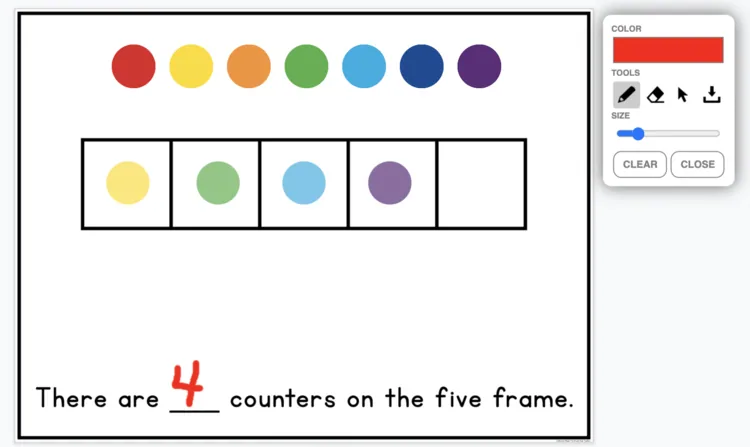
Online manipulatives are internet-based math tools that allow for whole-class modeling (led by students or teachers). There are SO many ways to use online math manipulatives. These templates are created to be used in digital form.
In this resource, you will find interactive templates to meet a variety of contexts and needs:
Can I make changes to the templates?
To make the slides easy for little learners, the math mats are built into the background of each page. If you have a specific request, feel free to leave it in my TPT Q&As. I am not able to honor all requests, and will let you know if your preference is possible.
Can I share this with students?
Yes! On a protected site or platform, you are welcome to share this digital file with students and families. That might look like a Google Classroom, a password-protected website, a password-protected Flip Grid, etc. Due to copyright, the digital file may not be placed on a class website that is accessible to the general public.
With what programs is this compatible?
This digital file is able to work with GoogleTM Slides, Google Drive. Microsoft OneDriveTM. Then students may submit their thinking digitally. For instructions on how to use this resource with Microsoft OneDriveTM visit. bit.ly/digitalinstructions
Can I share just one or a few slides at a time?
Yes! After you make a copy of this digital file and add it to you Google Drive, you are free to manipulate the slides. You can add/delete/move around the templates to meet the needs of your students. Only want to share one template? Perfect. Delete the other slides and share the file via Google Classroom for your students. Then, when you want the rest of the templates, you can come back to this link and reopen the
How can these templates be used?
With which programs are these templates compatible?
These templates include PowerPoint and Google Slides versions.
Can I make my own games and activities to sell, using these templates?
No. These templates are intended for single-classroom use. You may not tweak, recreate, or make a resource ”inspired” by these templates to sell or distribute for free. original file.
For students to manipulate the pieces, the Google Slide must not be in presentation mode.
✅Download the preview to get a closer look at these activities!
You must be logged in to post a review.
Right after you check out, your download links are on the order confirmation page, and your receipt email has the same links. Don’t see the email? Check your spam or promotions folder.
You can also grab your files anytime: log in and go to My Account > Downloads.
Each resource downloads as a .zip folder that holds all of its files.
This usually happens on Windows when the files are unzipped inside the Downloads folder, because the folder path gets too long. Move the zip to your Desktop, then right-click it and choose Extract All.
Still stuck? Reach out and I’ll help.
No, you can check out without signing up. An account is created for you automatically with the email you use at checkout, and you’ll get an email to set your password. If you already have an account, your order is added to it.
Once you’re logged in, all of your purchases are in My Account > Downloads.
All major credit and debit cards, Apple Pay and Google Pay (through Stripe), plus PayPal and Venmo. Payments are processed securely, and your card details never touch this site.
Because these are digital resources, they can’t be returned once they’re downloaded. Please look over the product description and preview before you buy.
If something is wrong with a file, or you bought the same resource twice by mistake, reach out and I’ll make it right.
Practical K-2 math and upper-elementary morphology ideas, straight to your inbox. No spam, unsubscribe any time.
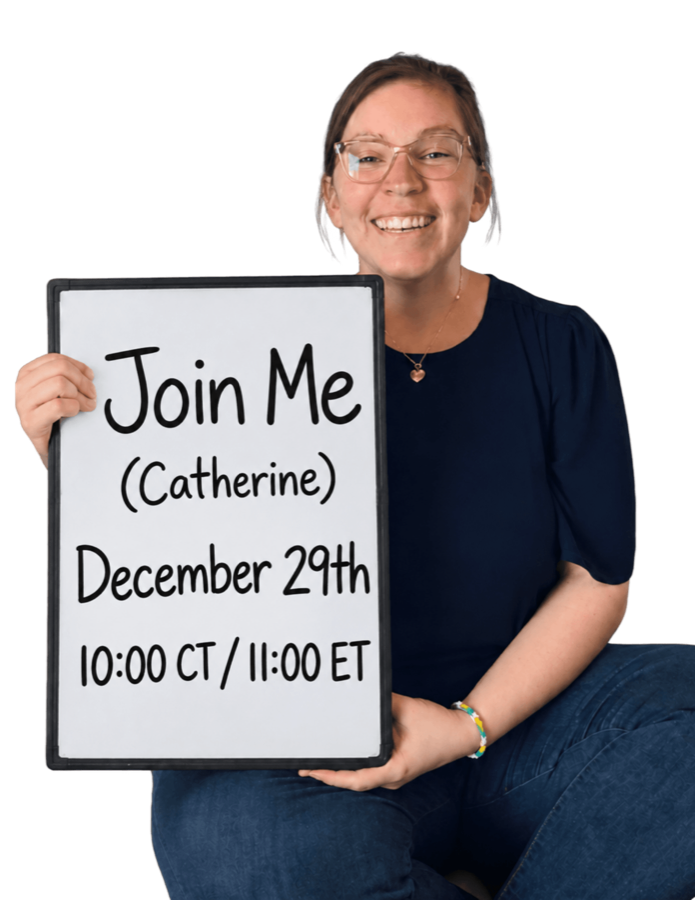
Join me for a hands-on workshop exploring what to model, which questions to ask, and how to respond when students get stuck using ten to add and subtract.
Includes a printable Teacher Toolkit, ready-to-use Number Talks, and the workshop recording.
Janeen Gasior –
This is a great supplement to use for students who do not have any materials at their homes. Love it
Sabrina C. –
My students were able to use these very well with ipads
Alyssia Simmons –
Great resource!!
teri J. –
Awesome! Thank you for this fun resource!
Phyllis A. –
Great resource! Thanks!
Jennifer H. –
Thank you!
Deanna L. –
Great resource.
April C. –
Great resource thank you!
Sheila Y. –
This was exactly what I was looking for when we started doing remote learning. Thank you so much for sharing.
Mandi Z. –
Exactly what I was looking for!
Fireworks in First –
Such a great resource – thank you!
Dawn L. –
great mats to use when demonstrating remotely to students.
Teri A. –
A lifesaver this year! Thanks for the great resource:)
Melissa G. –
Great thinking mats for students to use at home with limited tangible math tools.
Mallory L. –
These mats were helpful for distance learning.
Corey M. –
Great resource!