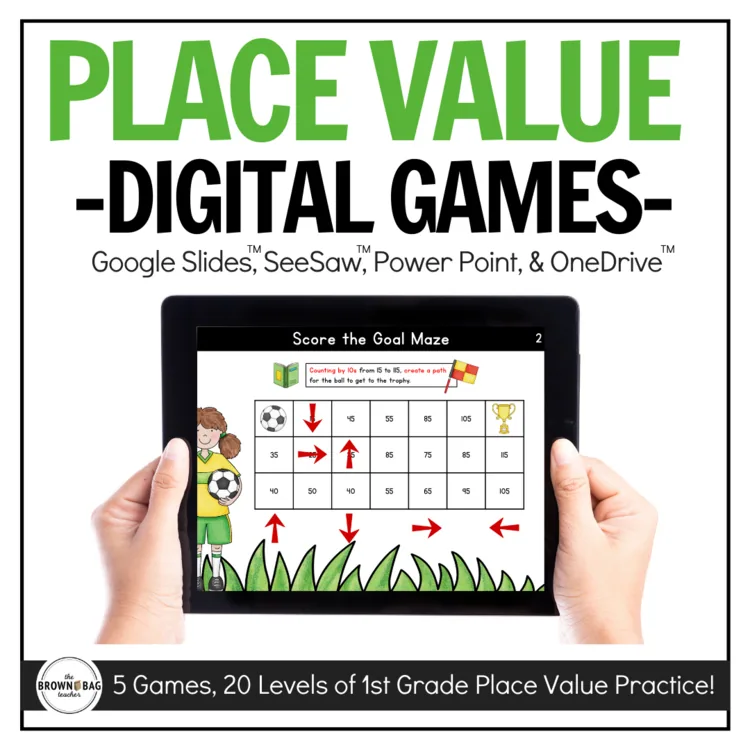
These 20 interactive place-value games are ideal for distance learning, math centers, a technology center, or reviewing content with your students. These games do not provide any direct instruction and are intended for supplemental practice.
**SeeSaw(TM), Google Slides (TM), and PowerPoint versions now included**
These 20 interactive place-value games are ideal for distance learning, math centers, a technology center, or reviewing content with your students. These games do not provide any direct instruction and are intended for supplemental practice. They can be used at home, during math centers, as part of a technology rotation, or for whole-group practice.
In this resource, you will find
Teacher Directions
Visual Directions for Students
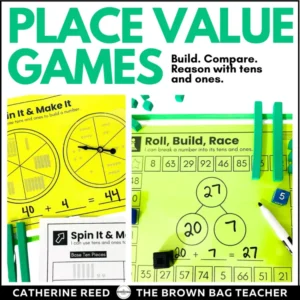
5 Place-Value digital math games, each with 4 levels increasing in difficulty (20 total learning activities)
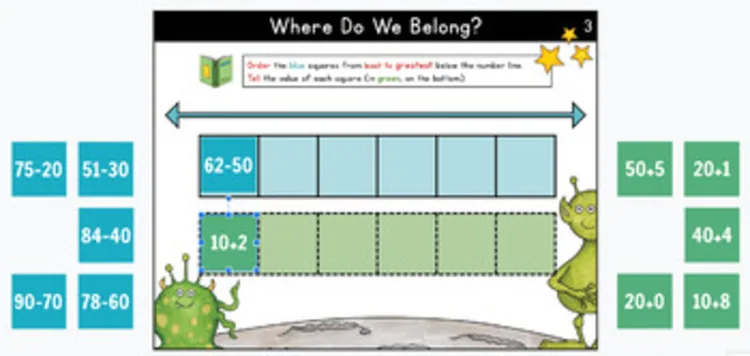
Game 1: Where Do We Belong?
I can order numbers (0-120) based on my understanding of place value.
Game 2: Score the Goal Maze
I can represent groups of tens with numerals and base ten pieces.
I can count by tens with numbers between 10-120.
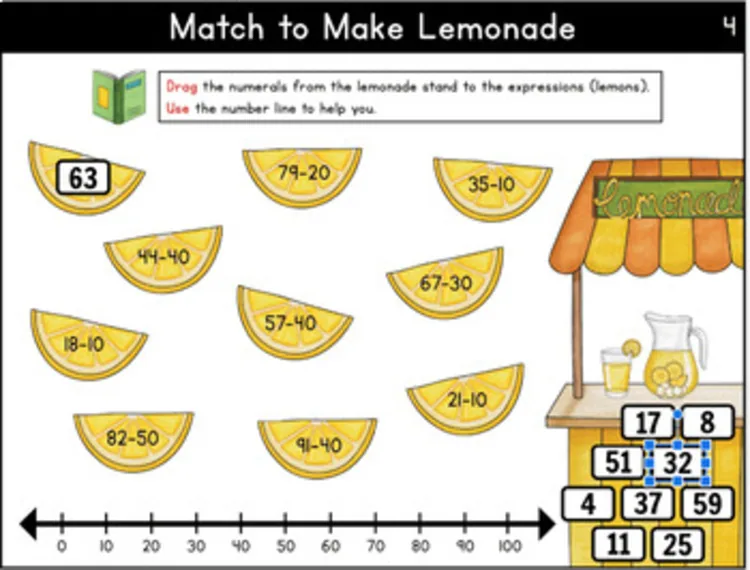
Game 3: Match to Make Lemonade
I can represent numbers in different ways.
I can subtract groups of ten from numbers between 10-90.
Game 4: What Doesn’t Belong?
I can represent numbers in different ways (numerals, expanded form, place value pieces, tens and ones, number words).
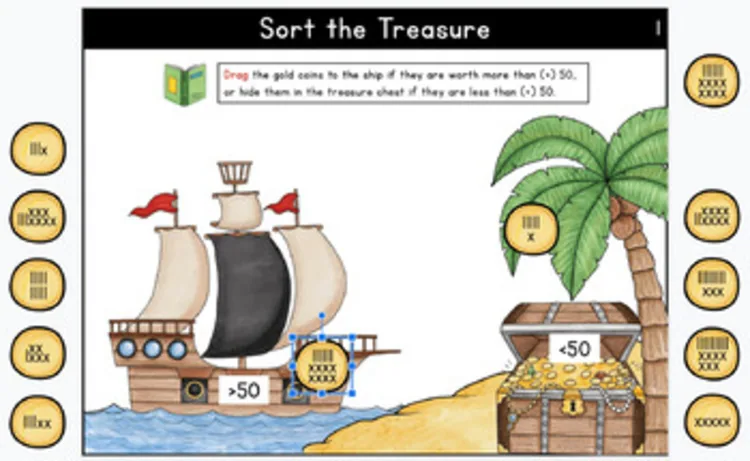
Game 5: Sort the Treasure
I can compare two 2-digit numbers based on place value. (<, >, =)
Can I share this with students?
Yes! On a protected site or platform, you are welcome to share this digital file with students and families. That might look like a Google Classroom, a password-protected website, a password-protected Flip Grid, etc. Due to copyright, the digital file may not be placed on a class website that is accessible to the general public. Have questions? Ask a Q&A on Teachers Pay Teachers, and I’m happy to answer!
With what programs is this compatible?
This digital file is able to work with Power Point, GoogleTM Slides, Google DriveTM or Microsoft OneDriveTM. Then students may submit their thinking digitally. For instructions on how to use this resource with Microsoft OneDriveTM visit bit.ly/digitalinstructions
Can I share just one or a few games at a time?
After you make a copy of this digital file and add it to your Google Drive, you are free to manipulate the slides. You can add/delete/or move around the games to meet the needs of your students. Only want to share one set of games? Perfect. Delete the other slides and share the file via Google Classroom for your students. (Or select the slide you want to Assign à File à Make a Copy àSelected Slides. You’ll be asked to rename the file and you can share it with students. Then, when you want the rest of the games, you can come back to this link and reopen the original file.
For students to play the games, the Google Slide must not be in presentation mode.
How can I scaffold student work during remote learning?
•Audio: Download the Talk + Comment extension from the Google Chrome Store and you can easily leave quick audio comments on different slides explaining the tasks or giving feedback.
•Videos: Want students to watch a quick video or mini-lesson before they begin? Add a new slide to the beginning of the document and link the video or task you want students to complete before beginning.
Happy Teaching!
Catherine, The Brown Bag Teacher
36 reviews for Place Value Games (1st Grade, Digital) for Distance Learning
Rated 4 out of 5
Amanda S. –
I enjoyed using this resource and my students really enjoyed it
Rated 5 out of 5
Ashley T. –
This was a great resource to use with my ASD students. Great math resource!
Rated 5 out of 5
Rosaleen S. –
Kids loved these games.
Rated 4 out of 5
Amy L. –
I love the activities and so do my kiddos. However, I do wish it would do something to let them know they had the correct answer.
Rated 5 out of 5
sherry K. –
Thank you!
Rated 5 out of 5
Ceila T. –
This was very helpful for my lower students! Thank you!
Rated 5 out of 5
Tracy R. –
Great resource. Thanks!
Rated 5 out of 5
Patricia S. –
Excellent resource for distance learning. Thank you.
Rated 5 out of 5
Claudia S. –
Amazingly engaging and easy to use. Assign in Seesaw and ready to roll, plus the students loved them!
Rated 4 out of 5
Tanya L. –
These were great follow up activities that I assigned if I needed a digital resource to practice a skill during distance learning.
Rated 5 out of 5
tricia B. –
Great resource!
Rated 5 out of 5
Mary M. –
This was an engaging resource to supplement my math!
Rated 5 out of 5
Tracy A. –
Great set of games to practice place value. Thank you!
Rated 5 out of 5
Lisa Sabo –
great resource–thank you!
Rated 5 out of 5
Christy A. –
Great resource.
Rated 5 out of 5
christina J. –
Perfect digital resource for the NBT standards! Thank you so much!
Right after you check out, your download links are on the order confirmation page, and your receipt email has the same links. Don’t see the email? Check your spam or promotions folder.
Each resource downloads as a .zip folder that holds all of its files.
iPhone or iPad: open the Files app, find the zip in Downloads, and tap it. It unzips into a folder you can open.
Mac: double-click the zip.
Windows: right-click the zip and choose Extract All.
My file won’t open or shows a file-path error.
This usually happens on Windows when the files are unzipped inside the Downloads folder, because the folder path gets too long. Move the zip to your Desktop, then right-click it and choose Extract All.
Still stuck? Reach out and I’ll help.
Do I need an account?
No, you can check out without signing up. An account is created for you automatically with the email you use at checkout, and you’ll get an email to set your password. If you already have an account, your order is added to it.
All major credit and debit cards, Apple Pay and Google Pay (through Stripe), plus PayPal and Venmo. Payments are processed securely, and your card details never touch this site.
What is your refund policy?
Because these are digital resources, they can’t be returned once they’re downloaded. Please look over the product description and preview before you buy.
If something is wrong with a file, or you bought the same resource twice by mistake, reach out and I’ll make it right.
Practical K-2 math and upper-elementary morphology ideas, straight to your inbox. No spam, unsubscribe any time.
They can make ten. Can they use it?
Help students turn “I know ten” into “I can use ten.”
Join me for a hands-on workshop exploring what to model, which questions to ask, and how to respond when students get stuck using ten to add and subtract.
Includes a printable Teacher Toolkit, ready-to-use Number Talks, and the workshop recording.
Amanda S. –
I enjoyed using this resource and my students really enjoyed it
Ashley T. –
This was a great resource to use with my ASD students. Great math resource!
Rosaleen S. –
Kids loved these games.
Amy L. –
I love the activities and so do my kiddos. However, I do wish it would do something to let them know they had the correct answer.
sherry K. –
Thank you!
Ceila T. –
This was very helpful for my lower students! Thank you!
Tracy R. –
Great resource. Thanks!
Patricia S. –
Excellent resource for distance learning. Thank you.
Claudia S. –
Amazingly engaging and easy to use. Assign in Seesaw and ready to roll, plus the students loved them!
Tanya L. –
These were great follow up activities that I assigned if I needed a digital resource to practice a skill during distance learning.
tricia B. –
Great resource!
Mary M. –
This was an engaging resource to supplement my math!
Tracy A. –
Great set of games to practice place value. Thank you!
Lisa Sabo –
great resource–thank you!
Christy A. –
Great resource.
christina J. –
Perfect digital resource for the NBT standards! Thank you so much!