$3.25
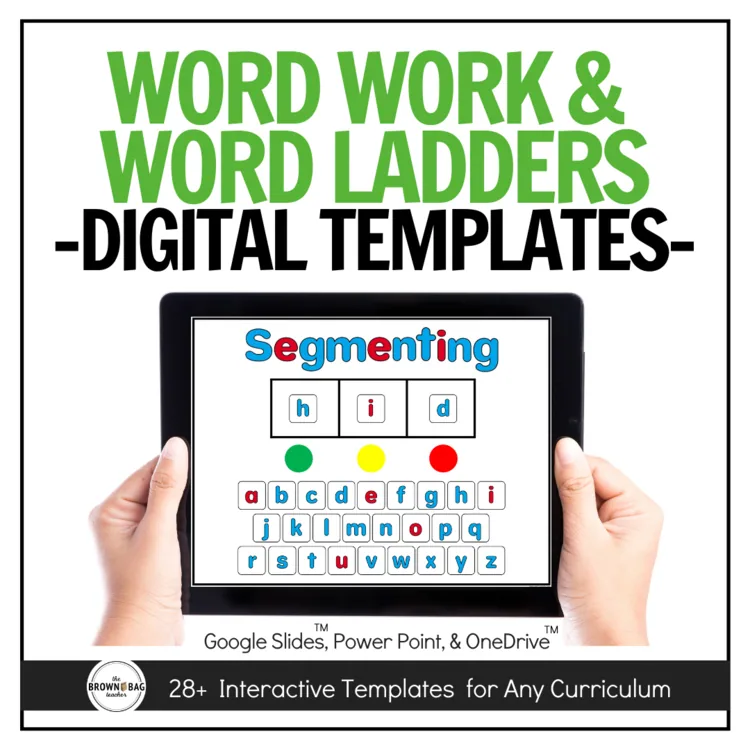
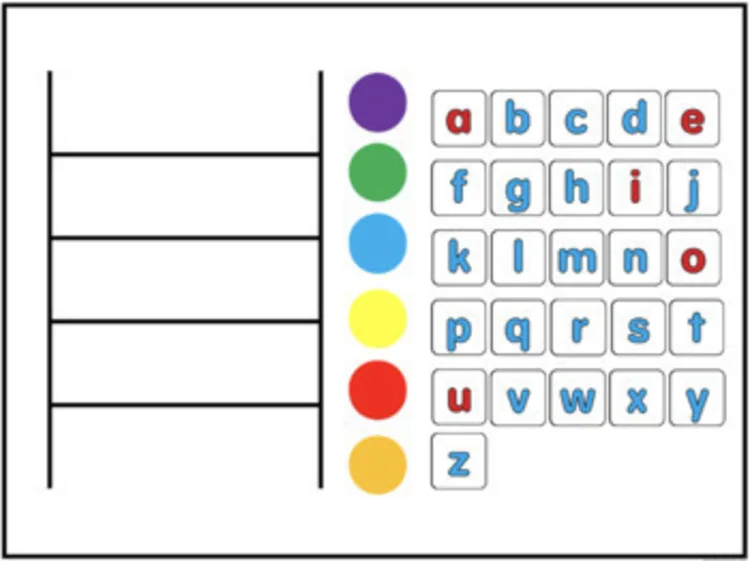
Boost students' phonics skills with Phonics Sound Mats aligned with the Science of Reading! These digital word work templates and word ladders help students map sounds and structure their understanding of phonics.
Boost students’ phonics skills with Phonics Sound Mats aligned with the Science of Reading! These digital word work templates and word ladders help students map sounds and structure their understanding of phonics. Perfect for bridging traditional phonics and distance learning, these resources enhance phonological awareness and can be used in a fully digital format.
In this resource, you will find 25+ interactive templates to meet a variety of contexts and needs:
What are foundational skills?
Word study matters. Explicit and systematic phonics instruction is critical for our emerging readers. Direct instruction has to be a component of our reading blocks, as well as, opportunities for students to use and apply sounds.
In our standards, Foundational Skills standards span K-5. In K and 1st the foundational skills include Print Concepts, Phonological Awareness, Phonics, and Fluency. From there, 2nd-5th grades include Phonics and Fluency standards. This means, as primary teachers, we must prioritize phonological awareness and print concepts. By the end of 1st grade, students will no longer be exposed to this content because the expectation is that it is mastered. Do we still intervene? Absolutely. But by August of 2nd grade, these are skills students should be strong in. This doesn’t mean we forget comprehension, vocabulary, and writing (they ALL matter). Yet, these foundational skills are critical for our budding readers.
Do these templates include word lists?
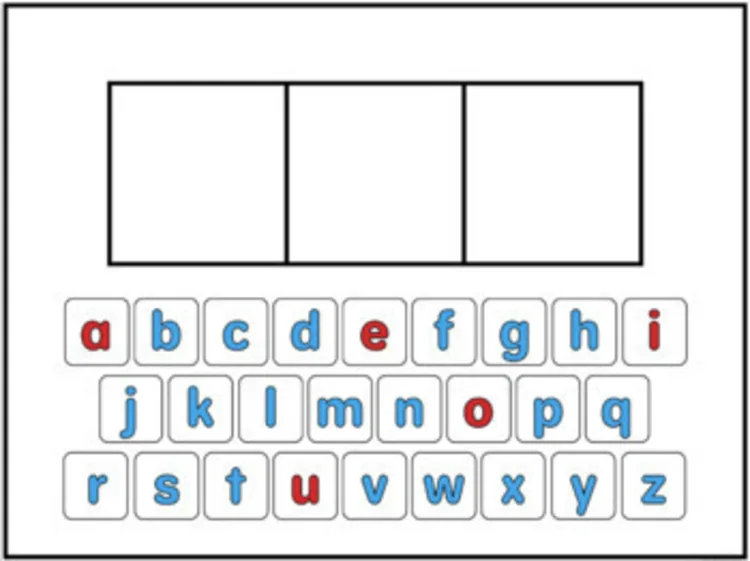
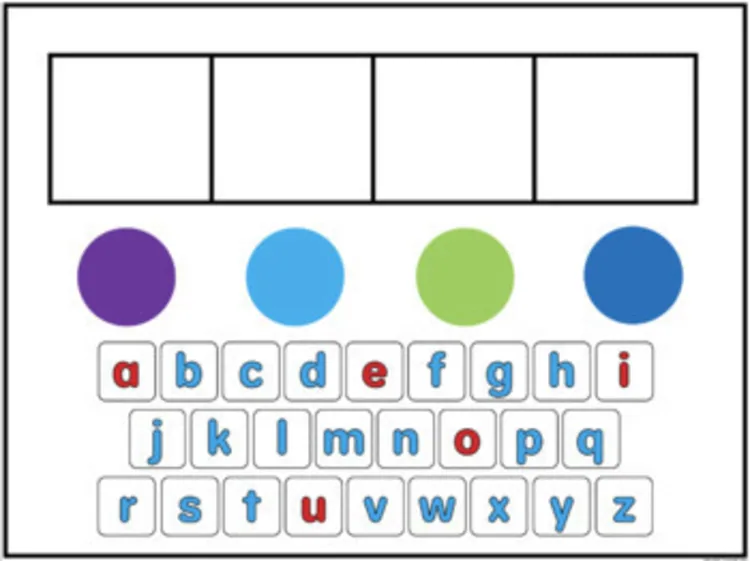
No. These templates (sound squares and word ladders) are used to help adapt your current foundational skills curriculum to a digital or distance-learning environment.
How can these templates be used?
•Whole Group Modeling – These templates could be used whole-group on an Interactive Whiteboard as part of a mini-lesson. In a distance learning environment, these could be used as you screenshare, modeling for students. Additionally, you might include these in a Google Classroom (force make a copy), giving students and families to these manipulatives for at-home learning and practice.
•Small Group/1:1 Focus Groups – Working in virtual 1:1 tutoring sessions or in small groups, a single set of templates could be used by 5-6 studentswho take turns working with and representing sounds and words.
With which programs are these templates compatible?
These templates include PowerPoint and Google Slides versions.
Can I make my own games and activities to sell, using these templates?
No. These templates are intended for single-classroom use. You may not tweak, recreate, or make a resource ”inspired” by these templates to sell or distribute for free.
Can I make changes to the boxes?
To make the slides easy for little learners, the sound squares are built into the background of each page. If you have a specific request, feel free to leave it in my TPT Q&As. I am not able to honor all requests, and will let you know if your preference is possible.
Can I share this with students?
Yes! On a protected site or platform, you are welcome to share this digital file with students and families. That might look like a Google Classroom, a password-protected website, a password-protected Flip Grid, etc. Due to copyright, the digital file may not be placed on a class website that is accessible to the general public.
With what programs is this compatible?
This digital file is able to work with GoogleTM Slides, Google Drive. Microsoft OneDriveTM. Then students may submit their thinking digitally. For instructions on how to use this resource with Microsoft OneDriveTM visit. bit.ly/digitalinstructions
Can I share just one or a few slides at a time?
Yes! After you make a copy of this digital file and add it to your Google Drive, you are free to manipulate the slides. You can add/delete/move around the templates to meet the needs of your students. Only want to share one template? Perfect. Delete the other slides and share the file via Google Classroom for your students. Then, when you want the rest of the templates, you can come back to this link and reopen the original file.
For students to manipulate the pieces, the Google Slide must not be in presentation mode.
✅Download the preview to get a closer look at these templates and examples from my classroom!
You must be logged in to post a review.
Right after you check out, your download links are on the order confirmation page, and your receipt email has the same links. Don’t see the email? Check your spam or promotions folder.
You can also grab your files anytime: log in and go to My Account > Downloads.
Each resource downloads as a .zip folder that holds all of its files.
This usually happens on Windows when the files are unzipped inside the Downloads folder, because the folder path gets too long. Move the zip to your Desktop, then right-click it and choose Extract All.
Still stuck? Reach out and I’ll help.
No, you can check out without signing up. An account is created for you automatically with the email you use at checkout, and you’ll get an email to set your password. If you already have an account, your order is added to it.
Once you’re logged in, all of your purchases are in My Account > Downloads.
All major credit and debit cards, Apple Pay and Google Pay (through Stripe), plus PayPal and Venmo. Payments are processed securely, and your card details never touch this site.
Because these are digital resources, they can’t be returned once they’re downloaded. Please look over the product description and preview before you buy.
If something is wrong with a file, or you bought the same resource twice by mistake, reach out and I’ll make it right.
Practical K-2 math and upper-elementary morphology ideas, straight to your inbox. No spam, unsubscribe any time.
Join me for a hands-on workshop exploring what to model, which questions to ask, and how to respond when students get stuck using ten to add and subtract.
Includes a printable Teacher Toolkit, ready-to-use Number Talks, and the workshop recording.
Cheree S. –
Thank you for this resource.
angela G. –
This was a great way to practice our phonics skills virtually! They parts all worked great for me and my students and they have a lot of fun getting to use it through their computer
Christina P. –
This was the perfect resource for our remote learning. Our word study definitely took a hit during guided reading since I was lost on how to implement without our normal tools. This was a lifesaver!
Simply Love Learning –
Thanks!
Paige H. –
Very helpful resource!
Megan M. –
Use within small groups.
kelly M. –
This is a great resource for in-person and virtual learning.
Sharon D. –
This resource was very engaging to use with students during whole group instruction.
Nancy F. –
Just what I was looking for, thank you!
lynn S. –
Used during distance learning and it was great!
Sarah S. –
Great resource Thanks!
Terri G. –
Great resource!
JMarie –
I use these all of the time on my smartboard. They are very helpful.
Rachael B. –
Great resource!
colleen G. –
Teaching sounds virtually was a challenge! I now have sound boxes right in front of me and I don’t even have to have all the extra electronics added!
Teacher Alvarez –
Nicely done.