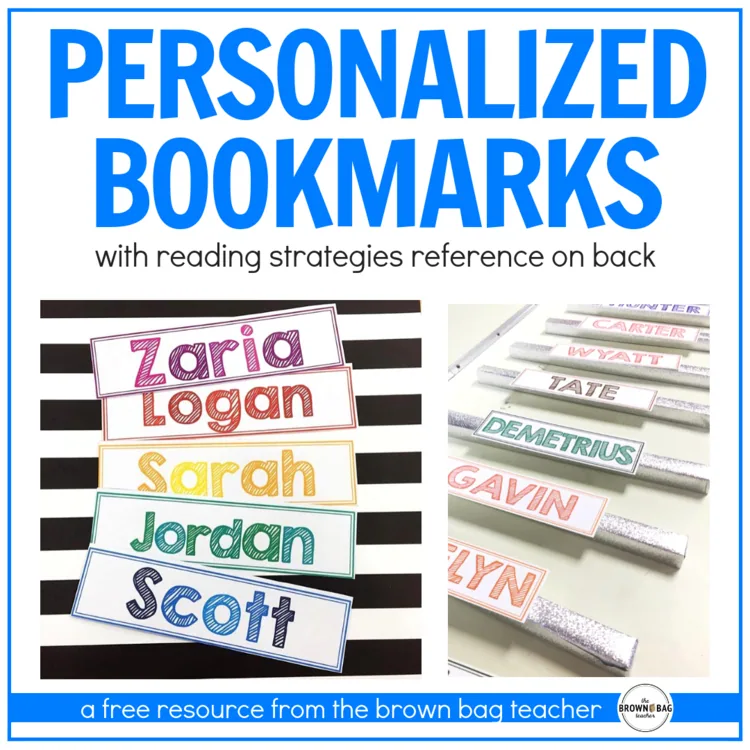
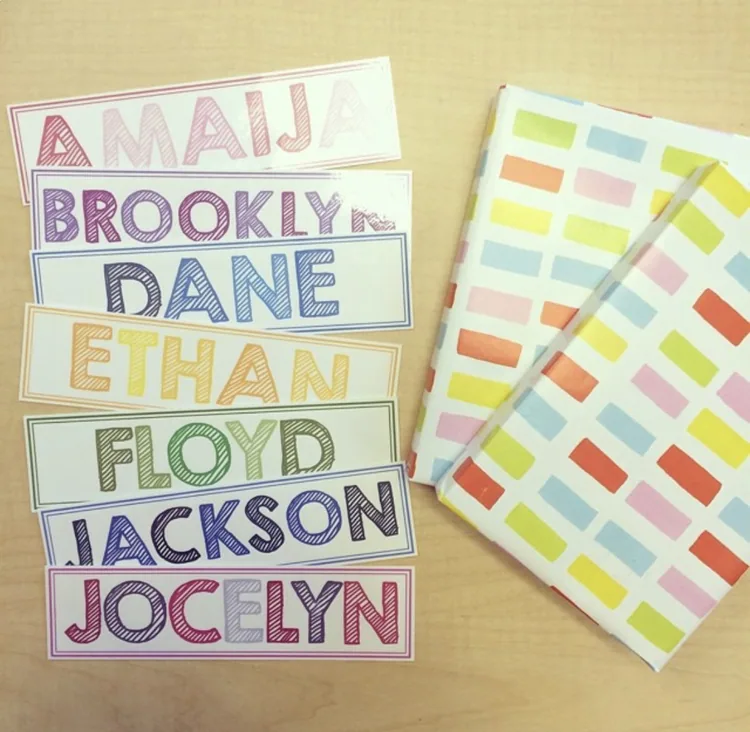
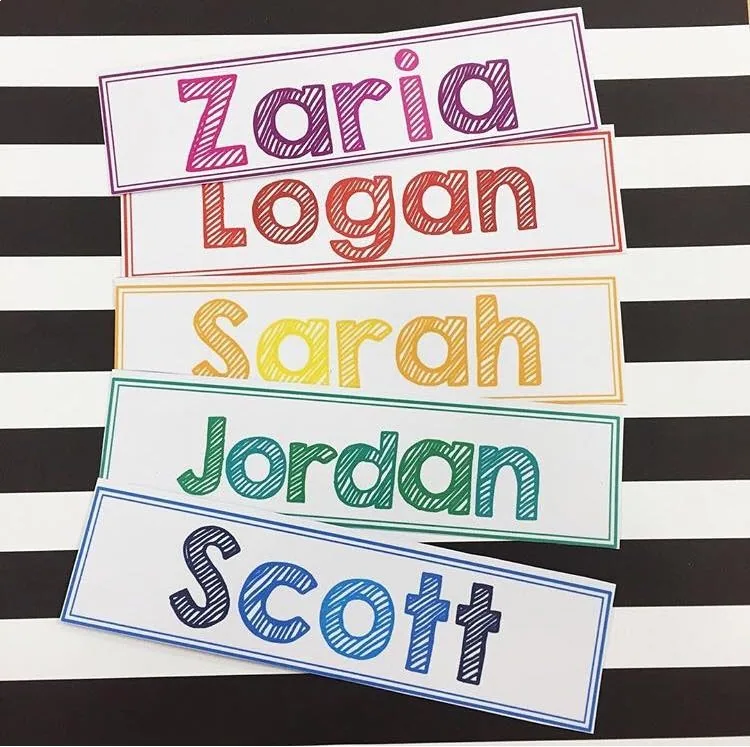
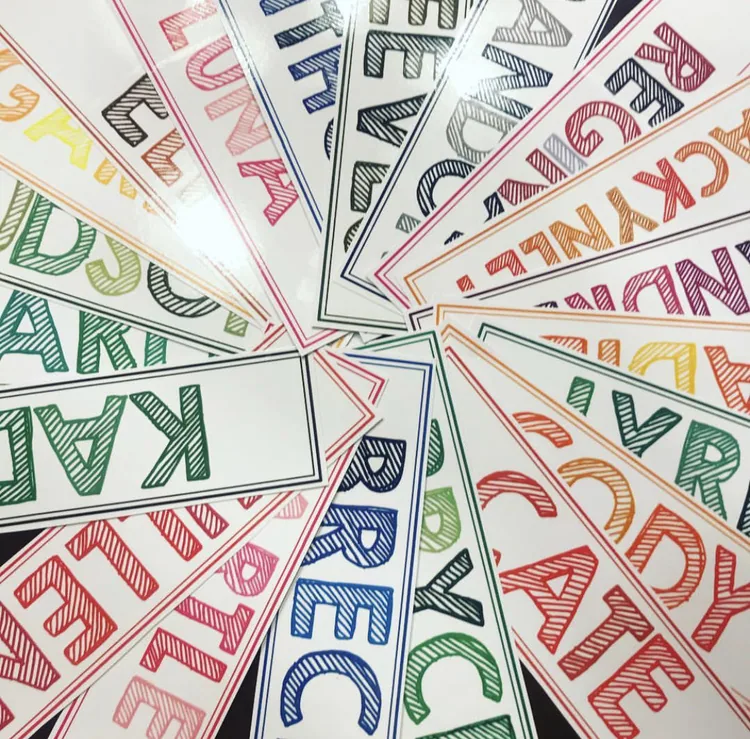
My 5th grade kiddos asked for 'cool' bookmarks this week. Obliging, I whipped up some personalized bookmarks with reading strategies on the back. This is about as cool as it gets, friends. 🙂
My 5th grade kiddos asked for ‘cool’ bookmarks this week. Obliging, I whipped up some personalized bookmarks with reading strategies on the back. This is about as cool as it gets, friends. 🙂
The fronts of these bookmarks are editable (on PowerPoint 2007), so you can add your students’ names! Please download the fonts shown in the file and then, reopen the file. When you reopen the file, the names will be ready for you to edit!
2276 reviews for Reading Strategies Bookmarks: Personalized Freebie
Rated 5 out of 5
Kathleen D –
Great resource to use with a variety of grades k-4.
Rated 5 out of 5
Kimberly Kimbrough –
Really love this for my students. They will be able to have their name and use the bookmarks where they need them. Makes them feel special!!
Rated 5 out of 5
Andrea L. –
A great tool to encourage students to read chapter books!
Rated 5 out of 5
Cedee Teaches –
My students loved receiving a bookmark they could decorate that had their name on it the first week back to school. Thank you for creating this resource!
Rated 5 out of 5
Jessica G. –
Great addition to my class to help students find their items.
Rated 5 out of 5
Julie N. –
I made these for my students, and they loved them. They used them in their library books.
Rated 5 out of 5
Teaching 5th in Nebraska –
Great resource to use and to give to students to use as a bookmark.
Rated 5 out of 5
Elaine M. –
I love this resource! I make a bookmark for each of my students, and this makes it so easy. I laminate them, and the students use them all year.
Rated 5 out of 5
Kati A. –
Students were so excited to have a bookmark with their name. Easy to use.
Rated 5 out of 5
Brianna G. –
These are great – easy to edit and will be great for my students to use in our classroom library!
Rated 5 out of 5
Natalizia N. –
These bookmarks are very helpful for my reluctant and struggling readers.
Rated 5 out of 5
Brittany Adams –
I can’t wait for my students to color these, and I will laminate them!
Rated 5 out of 5
Becki S. –
I give these bookmarks every year as my back to school gift for students. So easy and quick to create in PowerPoint! My students absolutely love them!
Rated 5 out of 5
AILZA K. –
This is a wonderful free resource for reinforcing reading strategies in a meaningful and practical way! The personalized bookmarks give students a handy reference they can use during independent reading, guided reading, or literacy centers. I like that they’re easy to customize and encourage students to apply comprehension skills while they read. A simple, effective resource that supports confident, independent readers!
Rated 5 out of 5
Angela Taliaferro –
I make these book marks for my students every year. They love the colors and the strategies are right there on the back to help when answering questions.
Rated 5 out of 5
chantale P. –
J’aime utiliser cette ressource pour aider mes élèves.
Right after you check out, your download links are on the order confirmation page, and your receipt email has the same links. Don’t see the email? Check your spam or promotions folder.
Each resource downloads as a .zip folder that holds all of its files.
iPhone or iPad: open the Files app, find the zip in Downloads, and tap it. It unzips into a folder you can open.
Mac: double-click the zip.
Windows: right-click the zip and choose Extract All.
My file won’t open or shows a file-path error.
This usually happens on Windows when the files are unzipped inside the Downloads folder, because the folder path gets too long. Move the zip to your Desktop, then right-click it and choose Extract All.
Still stuck? Reach out and I’ll help.
Do I need an account?
No, you can check out without signing up. An account is created for you automatically with the email you use at checkout, and you’ll get an email to set your password. If you already have an account, your order is added to it.
All major credit and debit cards, Apple Pay and Google Pay (through Stripe), plus PayPal and Venmo. Payments are processed securely, and your card details never touch this site.
What is your refund policy?
Because these are digital resources, they can’t be returned once they’re downloaded. Please look over the product description and preview before you buy.
If something is wrong with a file, or you bought the same resource twice by mistake, reach out and I’ll make it right.
Kathleen D –
Great resource to use with a variety of grades k-4.
Kimberly Kimbrough –
Really love this for my students. They will be able to have their name and use the bookmarks where they need them. Makes them feel special!!
Andrea L. –
A great tool to encourage students to read chapter books!
Cedee Teaches –
My students loved receiving a bookmark they could decorate that had their name on it the first week back to school. Thank you for creating this resource!
Jessica G. –
Great addition to my class to help students find their items.
Julie N. –
I made these for my students, and they loved them. They used them in their library books.
Teaching 5th in Nebraska –
Great resource to use and to give to students to use as a bookmark.
Elaine M. –
I love this resource! I make a bookmark for each of my students, and this makes it so easy. I laminate them, and the students use them all year.
Kati A. –
Students were so excited to have a bookmark with their name. Easy to use.
Brianna G. –
These are great – easy to edit and will be great for my students to use in our classroom library!
Natalizia N. –
These bookmarks are very helpful for my reluctant and struggling readers.
Brittany Adams –
I can’t wait for my students to color these, and I will laminate them!
Becki S. –
I give these bookmarks every year as my back to school gift for students. So easy and quick to create in PowerPoint! My students absolutely love them!
AILZA K. –
This is a wonderful free resource for reinforcing reading strategies in a meaningful and practical way! The personalized bookmarks give students a handy reference they can use during independent reading, guided reading, or literacy centers. I like that they’re easy to customize and encourage students to apply comprehension skills while they read. A simple, effective resource that supports confident, independent readers!
Angela Taliaferro –
I make these book marks for my students every year. They love the colors and the strategies are right there on the back to help when answering questions.
chantale P. –
J’aime utiliser cette ressource pour aider mes élèves.