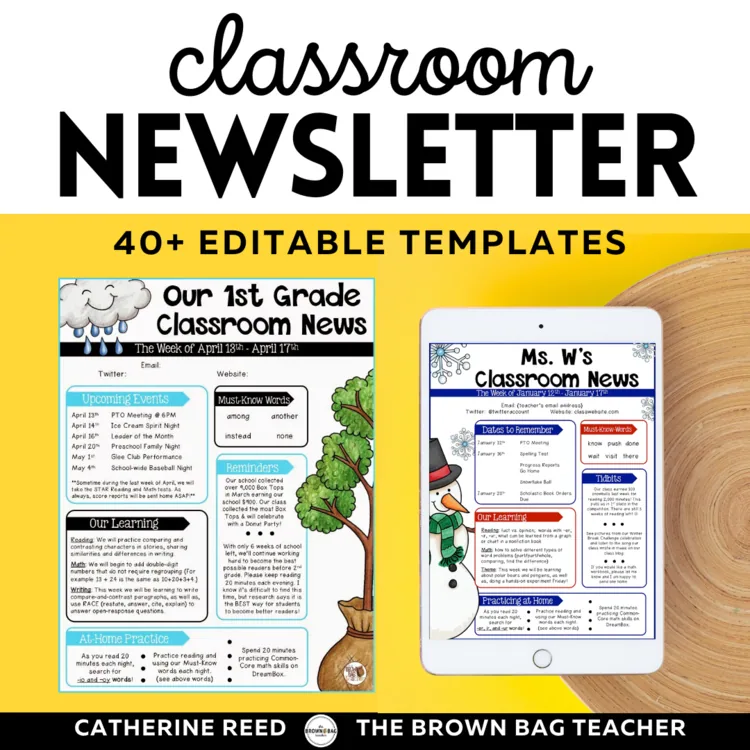
Streamline your classroom communication with these 40+ Editable Newsletter Templates! These customizable designs are perfect for keeping families and students informed. Easily create professional and engaging newsletters tailored to your needs.
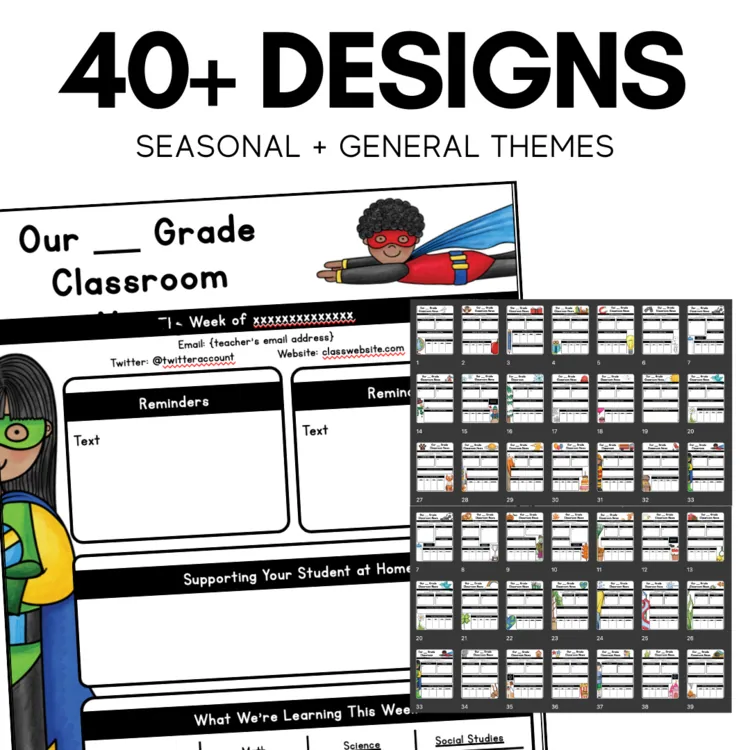
Streamline your classroom communication with these 40+ Editable Newsletter Templates! These customizable designs are perfect for keeping families and students informed. Easily create professional and engaging newsletters tailored to your needs. In this resource, you’ll find 40+ newspaper templates to keep your classroom news fresh and interesting!
These templates are available in both Google Slides and Microsoft Powerpoint formats, giving you flexibility and choice in how you share with families – a class website, printed, texted via Remind or Dojo. Empower your families to ask questions, be involved in the classroom, and help support learning at home.
INCLUDED IN THIS RESOURCE
In this pack, I’ve included 40+ templates for each month of the school year, including but not limited to..
Illustration-Heavy Templates
back to school, reading, science, math
fall, apples, Halloween, Thanksgiving
Christmas, snowman, snow, winter, Valentine’s Day
plants, St. Patrick’s Day, Earth Day, weather
summer, sports
themes (ocean, pets, space, dinosaurs, birthday, pirate, super heroes, dogs, fairytale, camping, mystery, plus MORE )
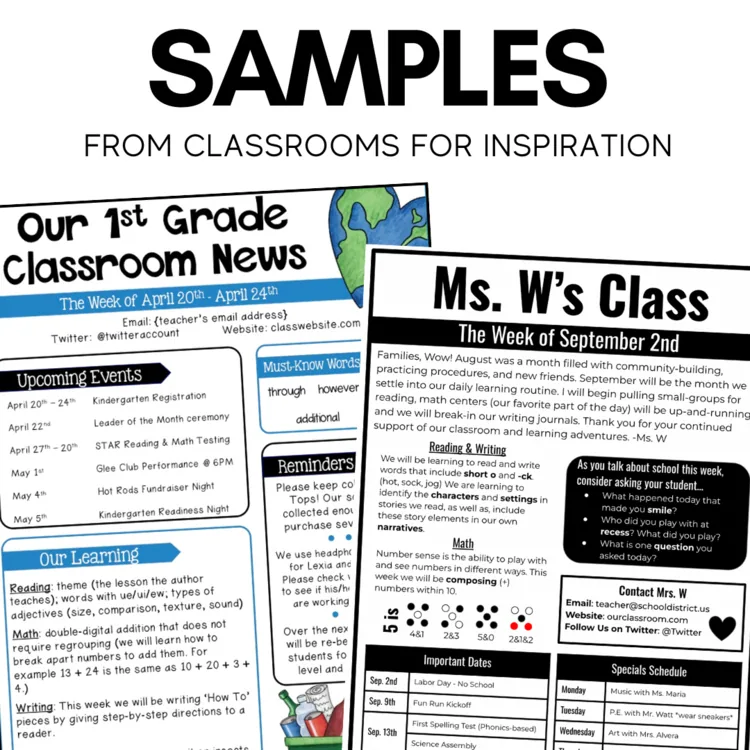
Text-heavy Templates – ideal for those looking for content-heavy options, related arts classrooms, and older grades
❤️USING THIS RESOURCE
☑️ Classroom newsletter
☑️ Club updates
☑️ Student-written newsletter
☑️ School updates
☑️ Internal School Memo
Since the newsletters are in full-color and I love trees, I distribute my newsletter via email. I ‘Save As’ each newsletter as a PDF (click on ‘File Type’) to keep the newspaper elements from shifting. Additionally, I send out the PDF or JPEG file on Remind. All newsletters can easily be printed on a black/white school copier (I do this to post outside our classroom, as well as, for families without an email address).
**See how to edit and save these newsletters as a PDF here.**
**See this resource in action in my classroom here.**
TECH SUPPORT
Please print this entire document ‘Fit to Page’ or ‘Scale to Fit Page’ found on the ‘Print Set-up’ tab.
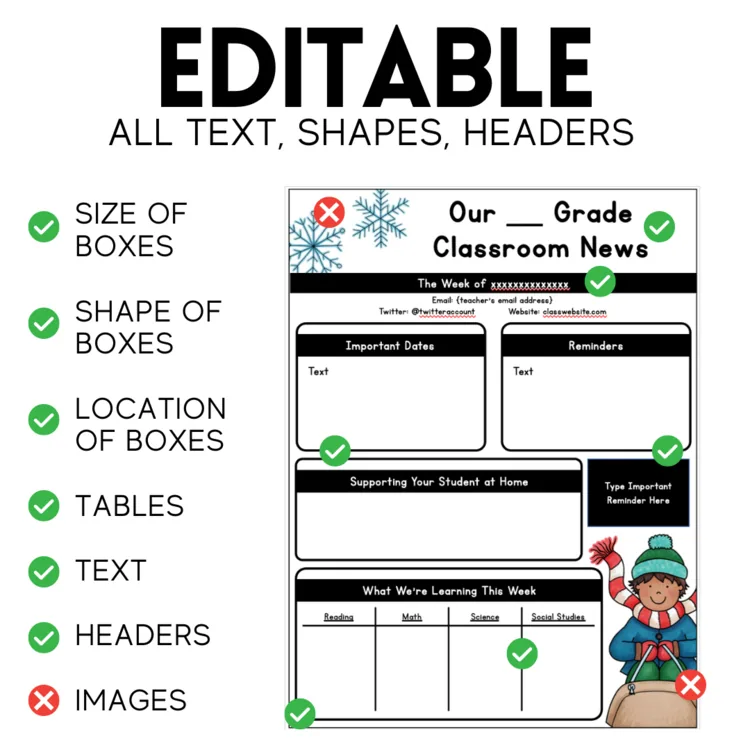
ALL THE TEXT of each newsletter is editable, including the text in the arrow headers. Due to copyright laws, the format and graphics are not. You must have PowerPoint 2003 (or a newer version) or Slides to edit these files!
To use the same fonts as shown in my classroom samples, you’ll want to download the following FREE fonts – KG Fonts, Be Still and Know: bit.ly/bestillandknowkg, Rowdy in Room 300, Rowdy Writing: bit.ly/rowdywriting, DJB, This Font is Bold: bit.ly/thisfontisbold. After you have downloaded these fonts, close this file and restart your computer. Then, when you re-open this file all the fonts should be visible to you!
To edit the text, click on the text box. Then, select the text and type what you want in each box
✅Download the preview to get a closer look at these templates and examples from my classroom!
7112 reviews for Weekly Newsletter Template Editable: Back to School, Parent Communication
Rated 5 out of 5
Brittany P. –
I’ve loved using these in my preschool classroom this year. I like how they are editable in so many ways to make it fit exactly what I need each month. The graphic are cute, and there are multiple options for each season.
Rated 5 out of 5
Molly G. –
These were fun and cute templates to use for monthly newsletters!
Rated 5 out of 5
Stephanie W. –
I absolutely love this Weekly Newsletter Template Editable: Back to School, Parent Communication resource! It’s such a time-saver for busy teachers who want to keep families informed without spending hours designing newsletters from scratch. The 40+ editable templates cover the entire school year with fun and engaging designs that work for every grade level.
Rated 5 out of 5
izabela W. –
Great resource for my Kindergarten classroom. Students use this almost everyday!
Rated 5 out of 5
Rilee B. –
This has been a great help with weekly letters to be sent home.
Rated 5 out of 5
Christina’s Creations K1 –
We don’t sent one every week but it is great for when we have a lot of upcoming events and homework.
Rated 5 out of 5
Chrystal O. –
Love this newsletter template to use in my classroom!
Rated 5 out of 5
brianna M. –
communication is very important with parents and this was easy and helpful
Rated 4 out of 5
Kim K. –
I’ve used these newsletters for three years now. They were a little difficult to customize to my needs. But, once I figured out how to move, resize, and edit text boxes, they became a resource I can’t do without. They are completely customizable except for the art work. There are plenty of backgrounds to choose!
Rated 5 out of 5
The Rounded Educator –
I was stuck and wasn’t sure how I wanted to format my newsletter. This one was easy to use and great!
Rated 4 out of 5
Nelda J. –
these were very neat and were so easy to fill out. Unfortunately we did not get to fully implement them as we are utilizing a special service for our newsletters.
Rated 5 out of 5
Mandy L. –
I love the newsletter and i love that it is easy to use and easy to edit to my class. I love how each month i can change it and have a new picture on it.
Rated 4 out of 5
Alexandra P. –
Any template that’ll help me have an easy routine for communication home is one that I like!
Rated 4 out of 5
Nicki C. –
I really like the resource, but get frustrated because not all parts are editable.
Rated 4 out of 5
Amber D. –
This was a great starting point for a template for my class newsletter.
Rated 2 out of 5
Emma C. –
You can easily just create your own resource. Wish I didn’t buy this.
Right after you check out, your download links are on the order confirmation page, and your receipt email has the same links. Don’t see the email? Check your spam or promotions folder.
Each resource downloads as a .zip folder that holds all of its files.
iPhone or iPad: open the Files app, find the zip in Downloads, and tap it. It unzips into a folder you can open.
Mac: double-click the zip.
Windows: right-click the zip and choose Extract All.
My file won’t open or shows a file-path error.
This usually happens on Windows when the files are unzipped inside the Downloads folder, because the folder path gets too long. Move the zip to your Desktop, then right-click it and choose Extract All.
Still stuck? Reach out and I’ll help.
Do I need an account?
No, you can check out without signing up. An account is created for you automatically with the email you use at checkout, and you’ll get an email to set your password. If you already have an account, your order is added to it.
All major credit and debit cards, Apple Pay and Google Pay (through Stripe), plus PayPal and Venmo. Payments are processed securely, and your card details never touch this site.
What is your refund policy?
Because these are digital resources, they can’t be returned once they’re downloaded. Please look over the product description and preview before you buy.
If something is wrong with a file, or you bought the same resource twice by mistake, reach out and I’ll make it right.
Brittany P. –
I’ve loved using these in my preschool classroom this year. I like how they are editable in so many ways to make it fit exactly what I need each month. The graphic are cute, and there are multiple options for each season.
Molly G. –
These were fun and cute templates to use for monthly newsletters!
Stephanie W. –
I absolutely love this Weekly Newsletter Template Editable: Back to School, Parent Communication resource! It’s such a time-saver for busy teachers who want to keep families informed without spending hours designing newsletters from scratch. The 40+ editable templates cover the entire school year with fun and engaging designs that work for every grade level.
izabela W. –
Great resource for my Kindergarten classroom. Students use this almost everyday!
Rilee B. –
This has been a great help with weekly letters to be sent home.
Christina’s Creations K1 –
We don’t sent one every week but it is great for when we have a lot of upcoming events and homework.
Chrystal O. –
Love this newsletter template to use in my classroom!
brianna M. –
communication is very important with parents and this was easy and helpful
Kim K. –
I’ve used these newsletters for three years now. They were a little difficult to customize to my needs. But, once I figured out how to move, resize, and edit text boxes, they became a resource I can’t do without. They are completely customizable except for the art work. There are plenty of backgrounds to choose!
The Rounded Educator –
I was stuck and wasn’t sure how I wanted to format my newsletter. This one was easy to use and great!
Nelda J. –
these were very neat and were so easy to fill out. Unfortunately we did not get to fully implement them as we are utilizing a special service for our newsletters.
Mandy L. –
I love the newsletter and i love that it is easy to use and easy to edit to my class. I love how each month i can change it and have a new picture on it.
Alexandra P. –
Any template that’ll help me have an easy routine for communication home is one that I like!
Nicki C. –
I really like the resource, but get frustrated because not all parts are editable.
Amber D. –
This was a great starting point for a template for my class newsletter.
Emma C. –
You can easily just create your own resource. Wish I didn’t buy this.