Today I’m sharing about another component to the Daily 5 in our classroom – Listening to Reading. (I’ve shared about Read to Self/Partner and Word Work earlier in the year). This is going to be an all-in-one blog post, so….stick with me. No matter what technology you have available (CD players, iPods, iPads) I’m going to share ideas that will work for your classroom!
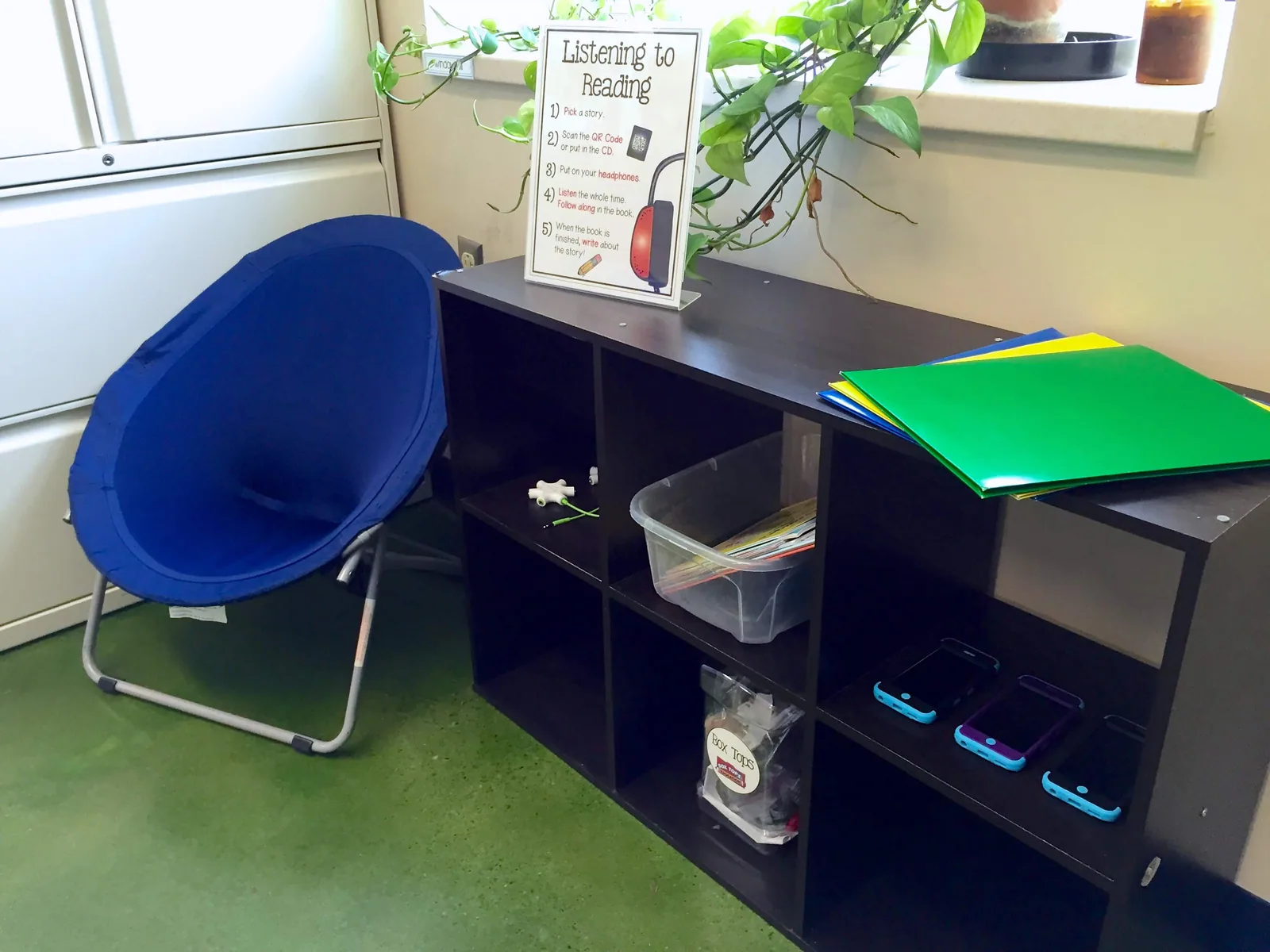
Our Listening Center
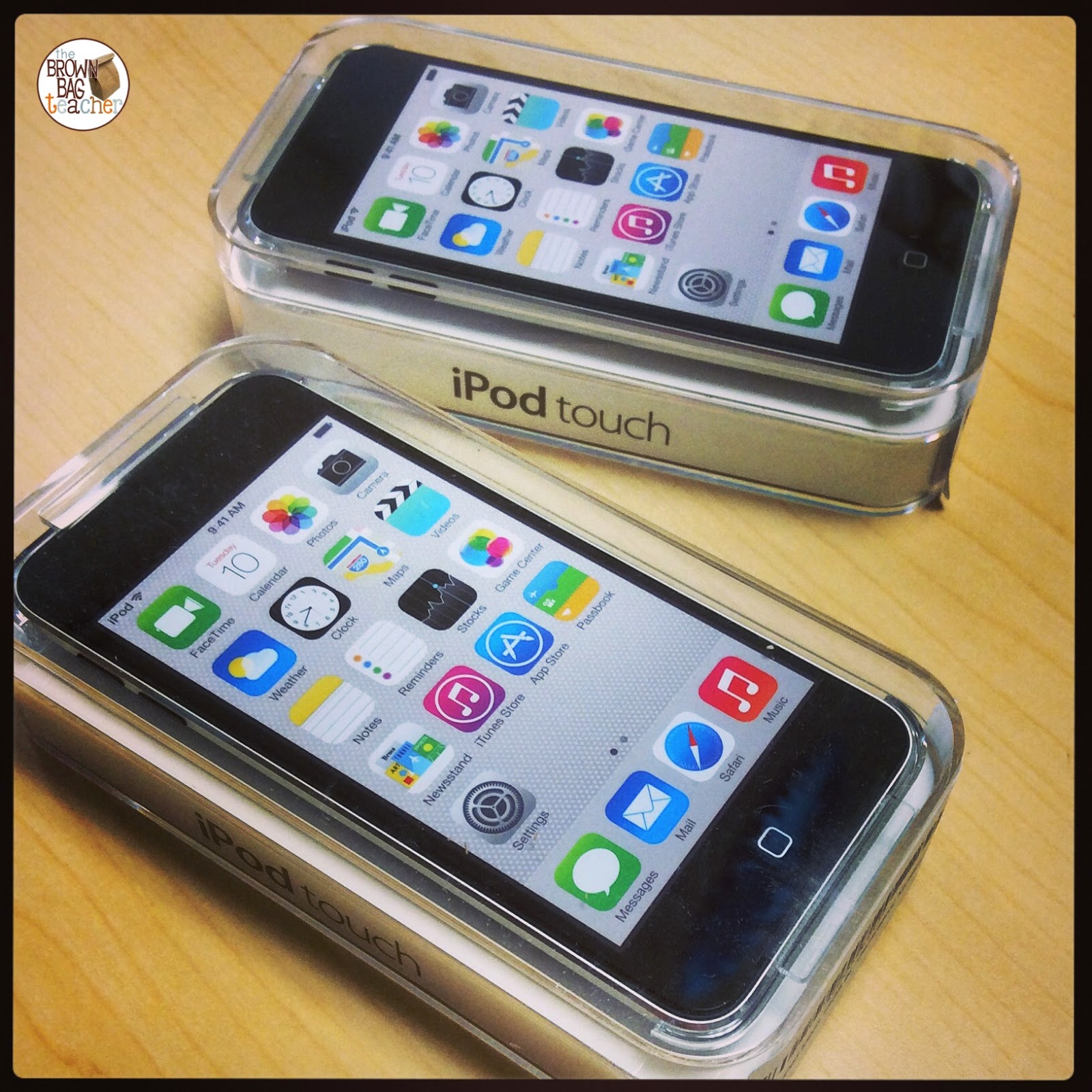
Using an inexpensive bookshelf from Target, we are able to keep all of our Listening to Reading supplies in one spot. Thanks to Donors Choose, our class welcomed 3 iPod Touches that have been a HUGE blessing!
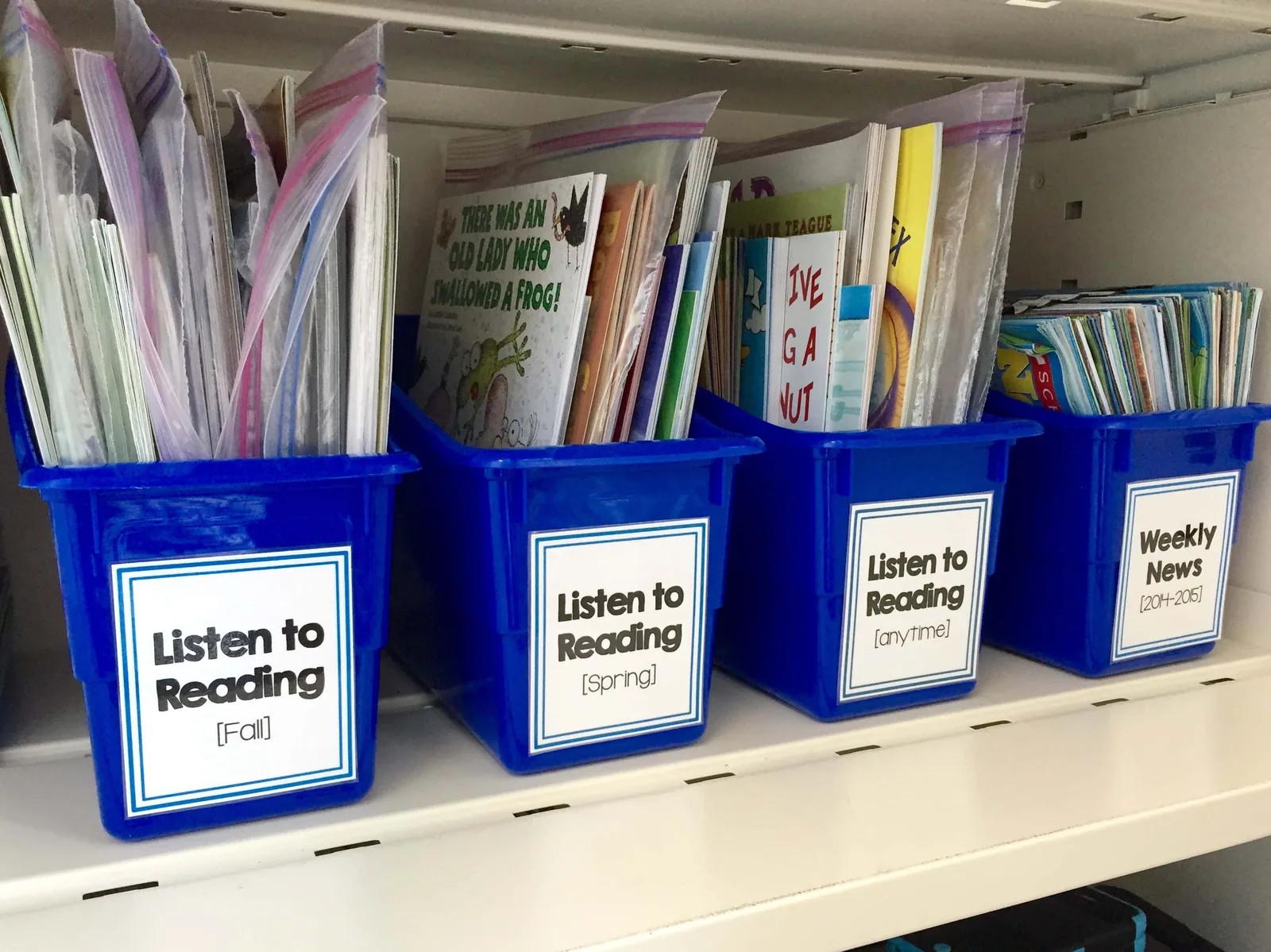
All of our Listening to Reading books and CDs (from Scholastic) are stored on a shelf in the cabinet you see above. I sort them by season – Fall, Winter, Spring, and General.
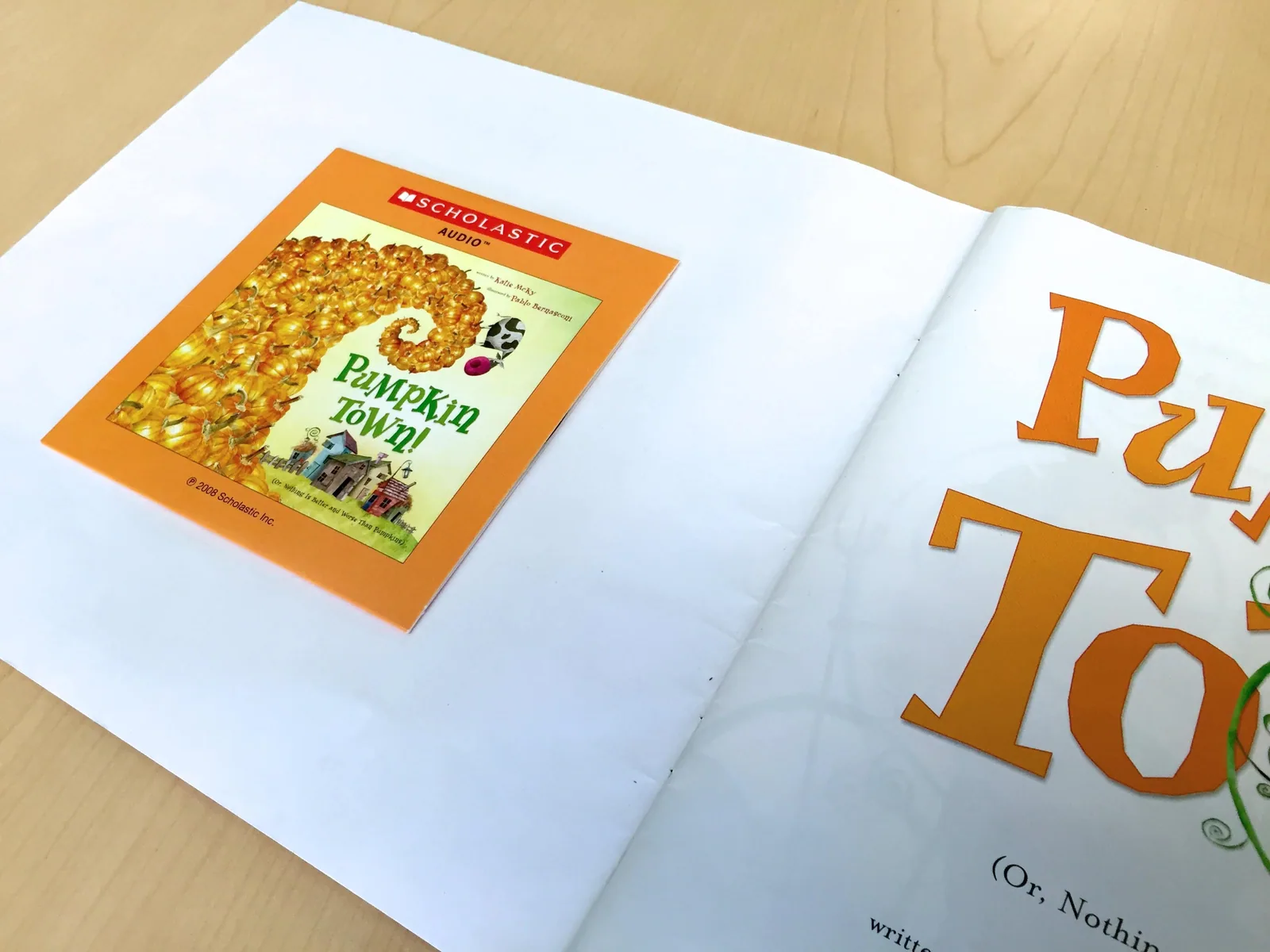
Each CD (after it’s loaded onto iTunes), is attached to the inside cover of each book. This way, we always have the CD should we need it!
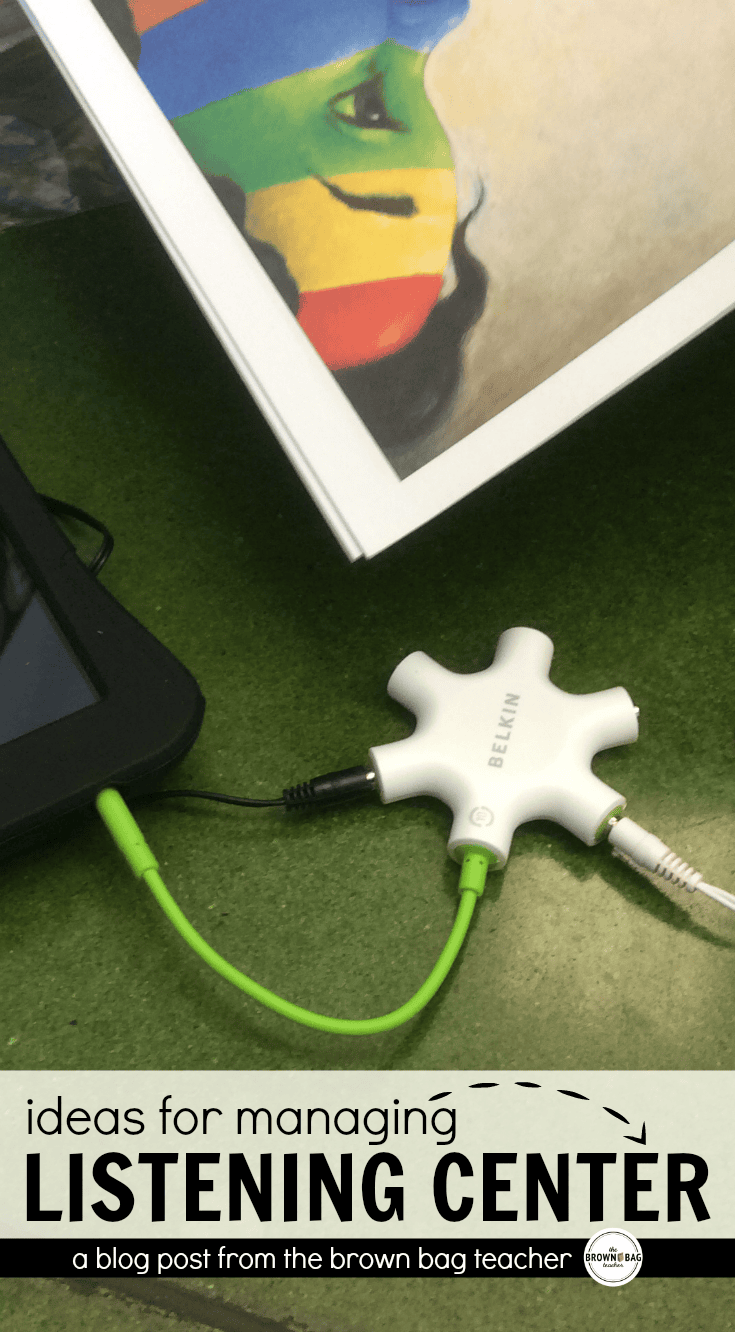
At the beginning of the year, we started our listening center with a 1990’s Sony Walkman and a Belkin Headphone Splitter that allowed 5 friends to listen at one time. From experience, any group larger than 3 negatively impacts listening comprehension and effectiveness and all other things academic. 2 is wonderful and if you can swing it, 1 is ideal.
Most of my CDs come from Scholastic Bonus Points. Lately, they have been offering some great package deals on seasonal listening libraries, so I’ve been scooping them up! I was also blessed to receive 4-5 books/cds from a Reddit Teacher Exchange in the fall.
Using iPads for Listening to Reading
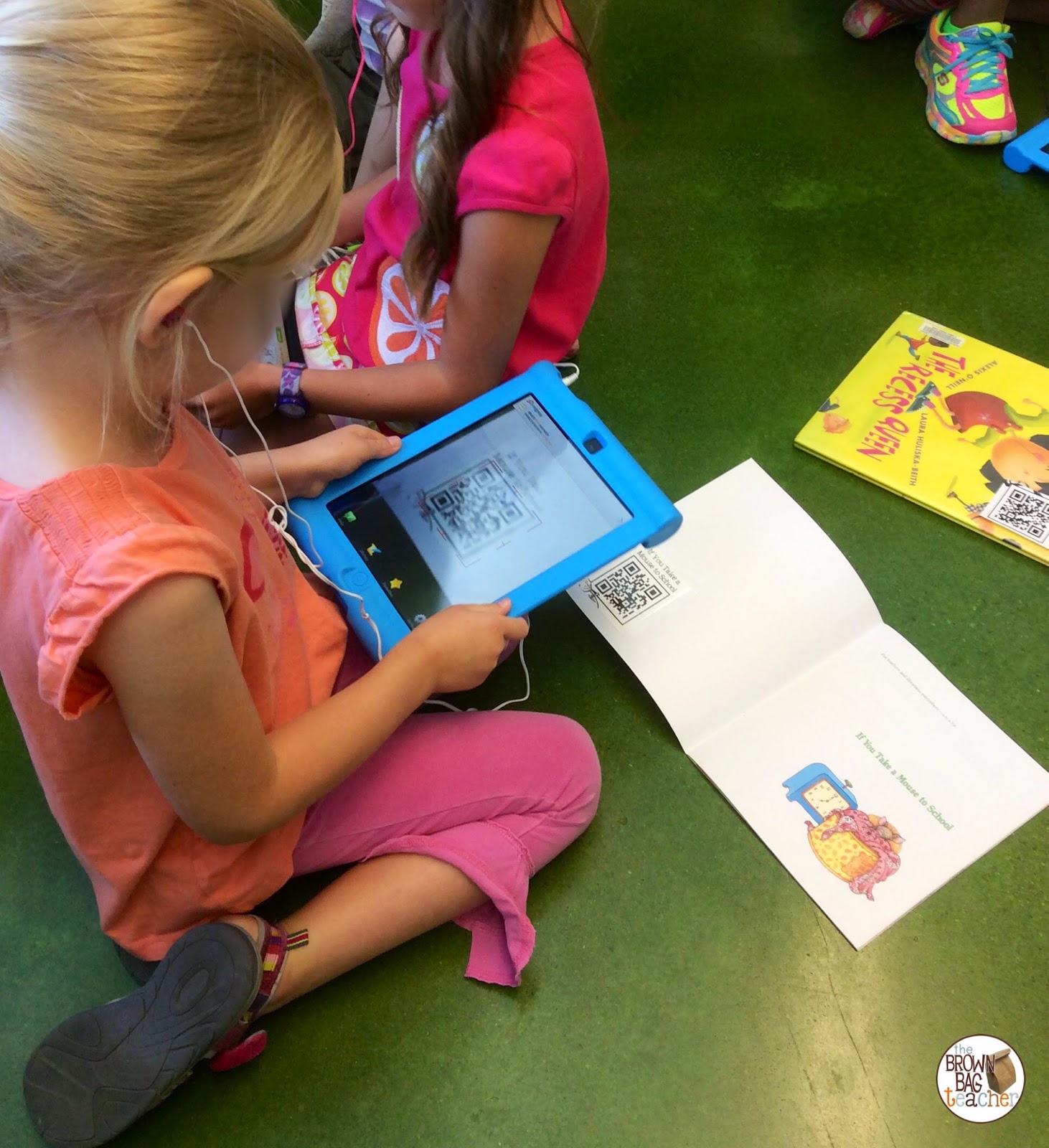
I am blessed to be at a school with a lot of classroom technology – 3 iPads, 1 iPad mini, 2 laptops. (Note – not as much as being 1:1 last year, but more than 75% of classrooms in America) Therefore, when there is a book I really want to place in my listening center, but do not have a CD, I will often create a recording of myself reading it, upload it to DropBox, and create a QR Code from the DropBox link. We’ll use one of our iPad minis to listening to me reading the book and then, students will write about a specific skill or facts they learned.
In addition to QR codes and CDs, we also love using Booksy for nonfiction reading. Booksy is a paid nonfiction reading app that gives students access to high-quailty and ridiculously-interesting books. From germs to the solar system, my friends LOVE these books. They can read them on their own, or Booksy will read the book. It is a pricey app (about $20), but that gives you lifetime access to ~25 nonfiction reads.
EPIC Listening to Reading App
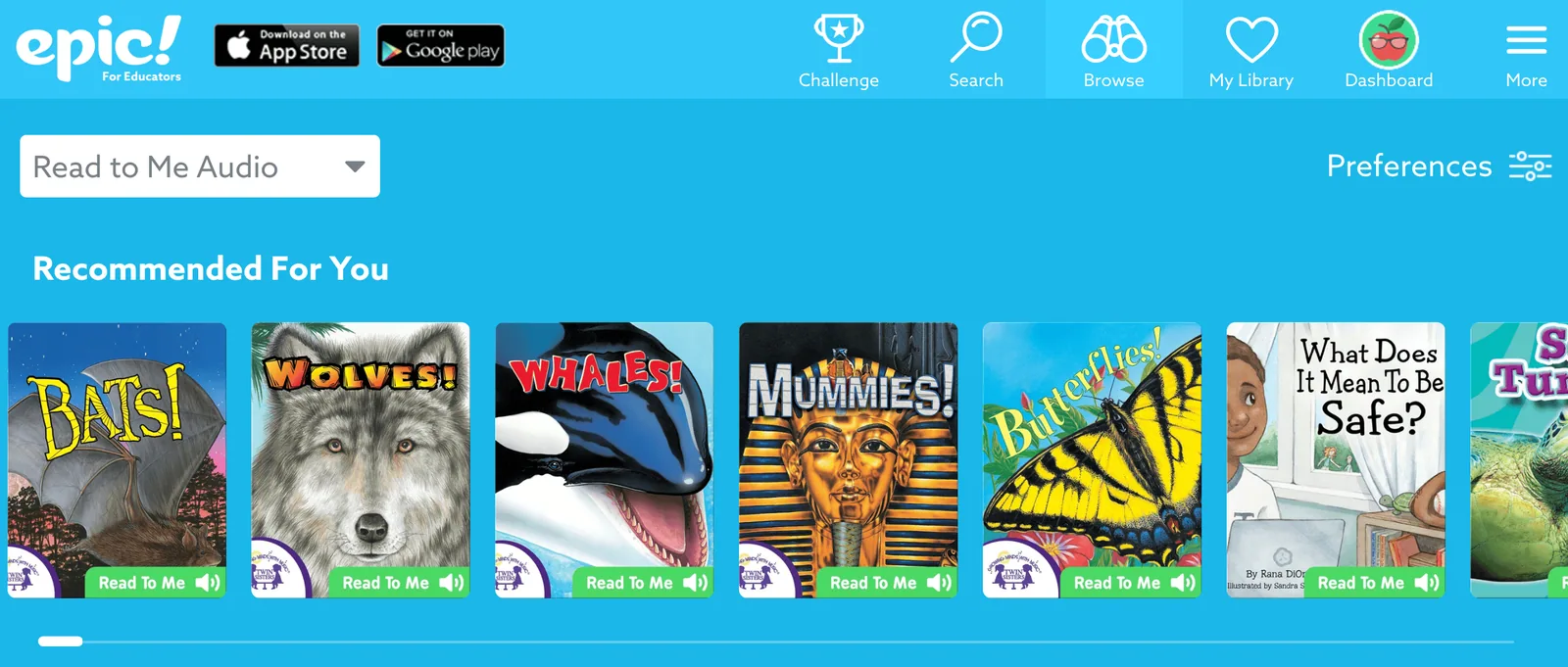
Epic is a FREE app and website for educators and classrooms. (If you’re a parent without a school email address, you’ll need to pay for this resource.) Epic hosts thousands of awesome books – ficiton and nonfiction and an entire section of their website devoted to “Read to Me” audiobooks. From Mummies to Paintball, my 1st grades love the opporunity to choose books to read and listen to!
Using iPods and MP3 Players
After our classroom CD player was dropped and smashed, I knew it was time to upgrade our listening center and I submitted a Donors Choose project for 2 iPod Touches. With the support of Caring Classrooms, The Bill and Melinda Gates Foundation, and some amazing people from around the country, our class welcomed two iPod Touches a week later!!!
When the devices arrived, it was time to upload the CDs to iTunes, so I could transfer them to our iPods. This was a labor-intensive process as each CD needs to be individually uploaded, named, an image added, and then, all the files added to each device – it is so important!
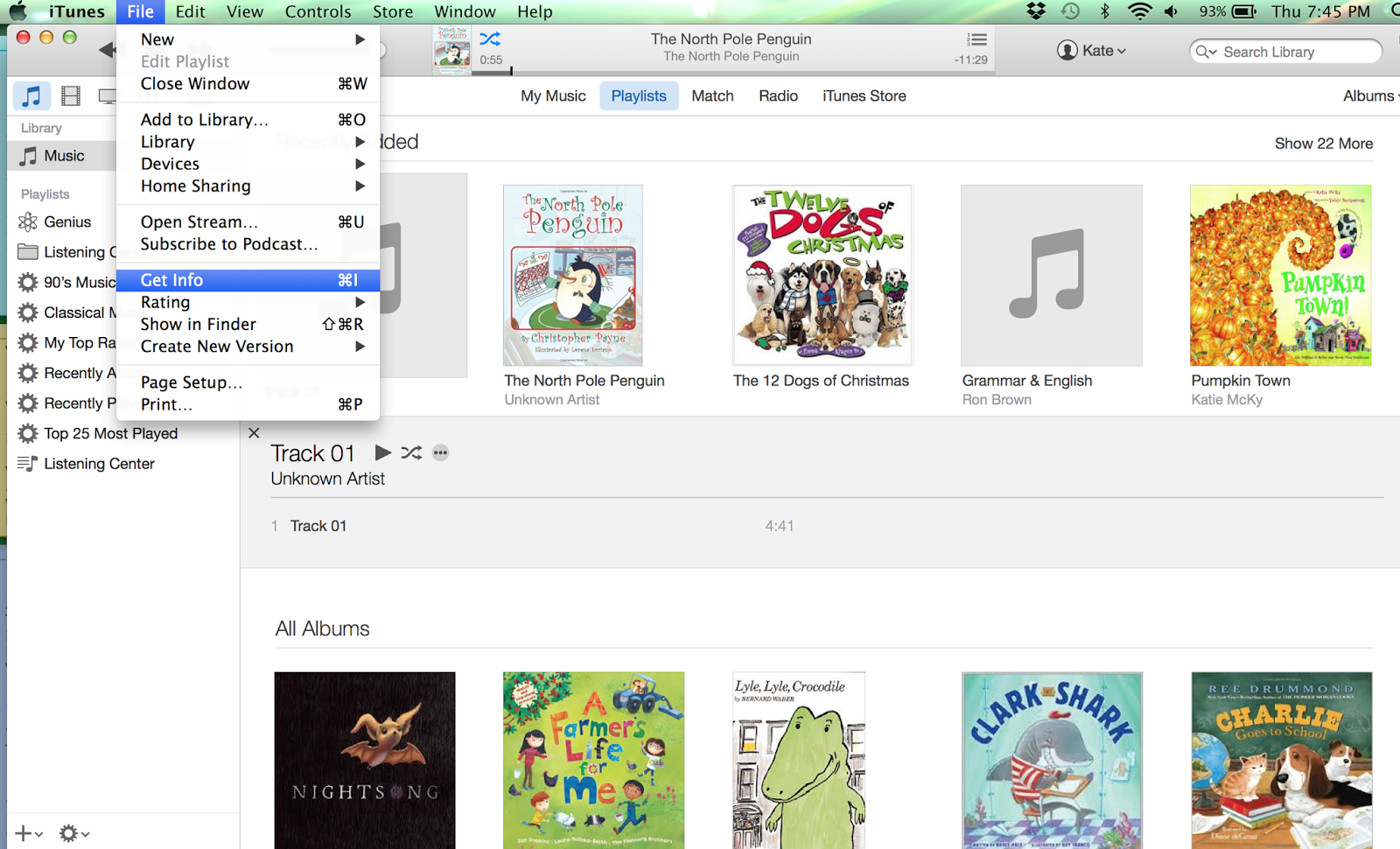
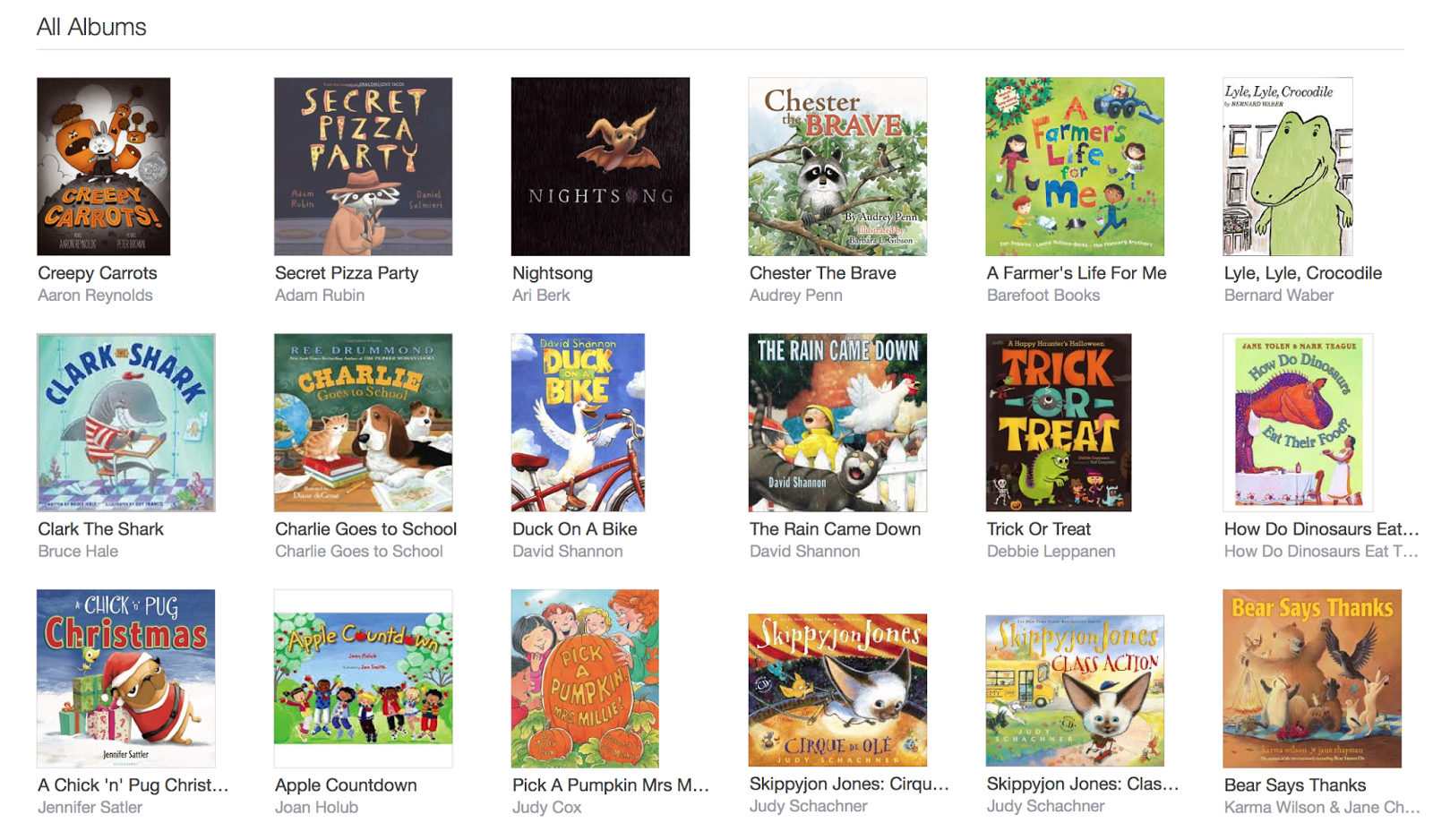
Once you upload the CDs onto iTunes, they show up as grey squares with music notes in the middle of them. Obviously, this is not an easy way for our friends to choose a book on an iPod or iPad, so you’ll want to rename the file and add the book’s cover for easy navigating. To do this, click on ‘File’ and then, ‘Get Info’.
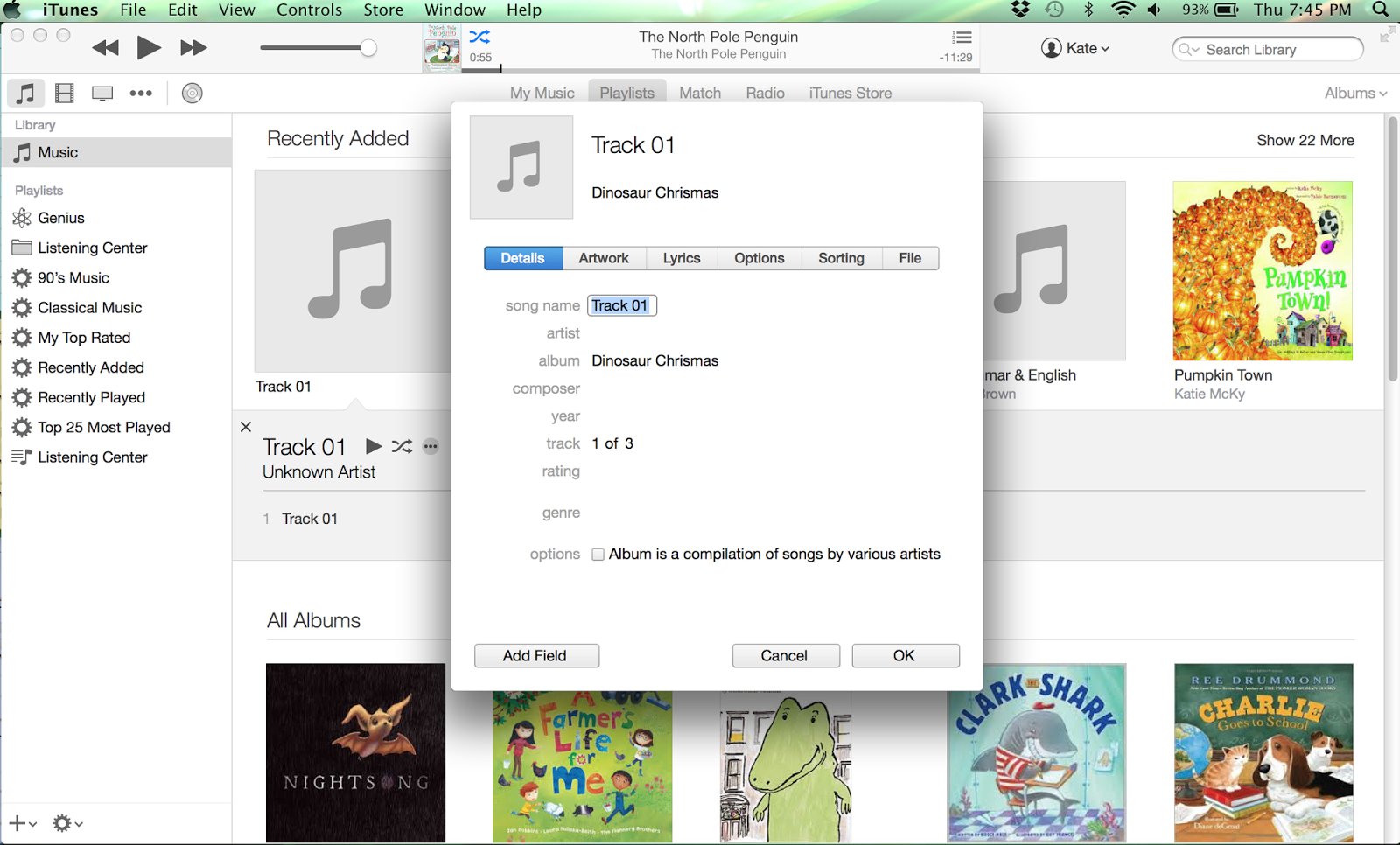
Once you are on the info page, you can rename the file (with the book’s title) and add artwork. To add artwork, drag an image of the book’s cover to your desktop and upload from there. After I have uploaded the audio file, I use glue dots to put the cd and cd case in the inside cover of each book. That way, I always have the CD and could use it if we needed to use a CD player again.
It’s a really simple process that allows your friends to easily navigate your listening device.
Responding to Our Reading
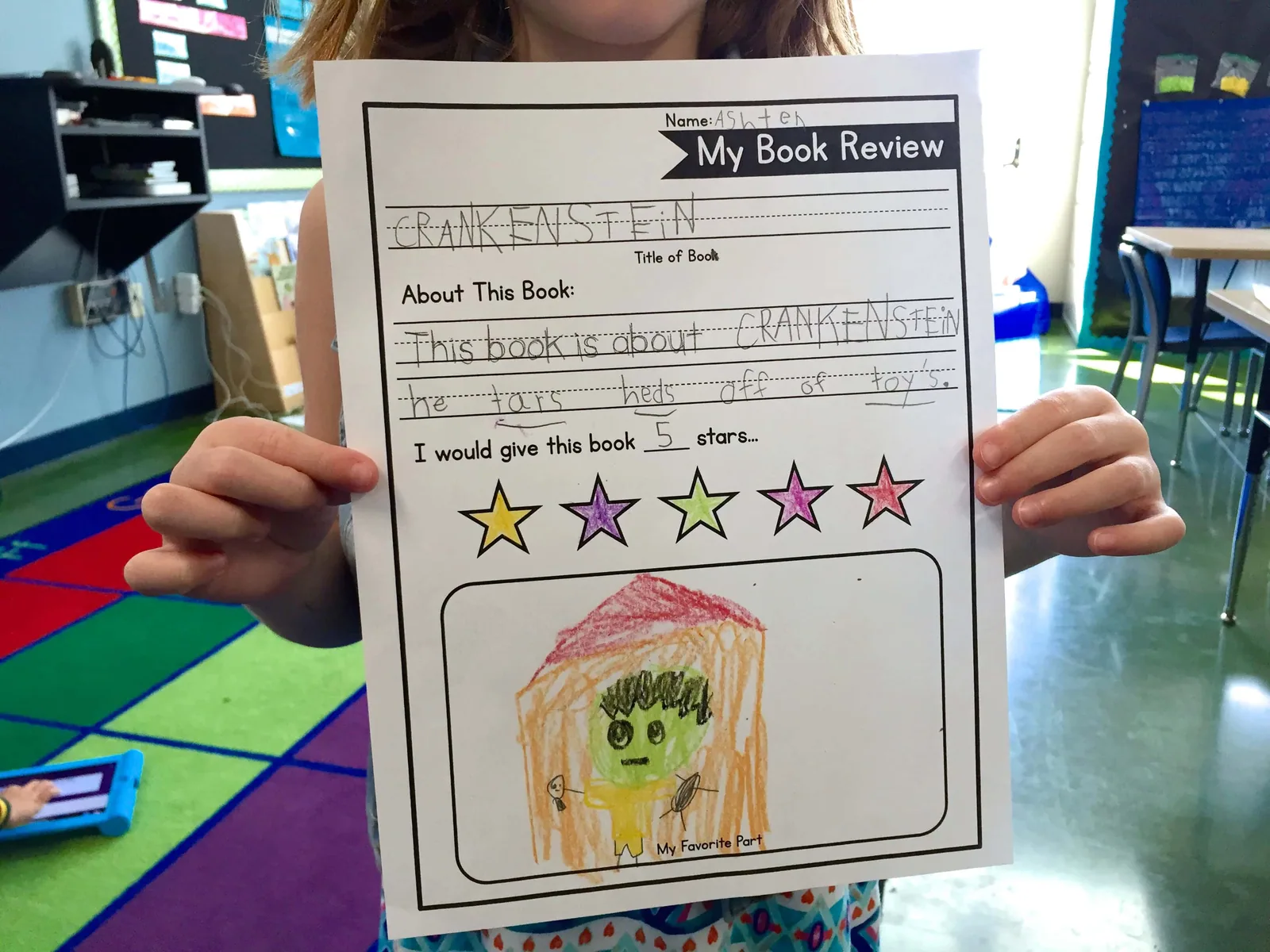
On the shelf of our listening center, there are 3 colored folders – blue, yellow, and green – that hold comprehension activities for each of my 3 reading groups. Just as I differentiate Word Work, I do the same for Listening to Reading. Students may choose which book they listen to (I only keep 5-7 books out at a time), and then, choose the corresponding comprehension sheet. In each folder is a response sheet for fiction and nonfiction. Based on the book students choose to listen to, they pick their recording log. The logs are leveled with more support and sentence starters in the green folder and extension activities in the blue (above grade-level folder). I change out the comprehension activities based on the Reading Street skill from the previous week (i.e. & effect, character, setting, problem & solution, theme, main idea). You can snag these differentiated recording logs here.
Well friends, this is how listening center works for us! What are your go-to resources for Listen to Reading? I’m always looking for ideas for changing-up our routine, so please share what you love! 🙂
We use tumbleboks, storyline online, and youtube to listen and read along to books. I love your idea about recording a book and saving the link as a QR. That would be perfect for us!
-Maria
Love this post. I am firm believer in the power of a listening center. I remember one year I had an overabundance of walkmans (I have no idea where I found them). I had baggies that included a walkman (with cassette tape) and book. The kids could grab these little kits anything they finished something early or right when they came in for school in the morning. There was a lot of growth that year. Not sure if that is exactly why….but let's go with that 🙂 Em Curious Firsties
I love this. I know far too many administrators who do not "approve" of a listening center. However, I completely love them. Add some comprehension activities as you do, and it is perfect! 🙂
Meredith
Download New Itunes Codes Generator 2015 Free Working Here:
Hi! I am going to do a Donors Choose project for an iPod Touch. Which model did you end up getting? I love this post!
Would love if you would share your dropbox recordings and QR codes!!!
Use EPIC- it's free, and ABCMouse.com and RAZ-kids (not free)
I have been using Raz kids for three years. It comes with comprehension questions and gives the choice to listen,read and answer questions.
What do kids do if they are doing a reading comprehension sheet, but they are not finished once Daily 5 is over?
Hey Courtney! Not all activities take one round. Many times students will need to return to the choice during a later round or another day…and that’s okay!
Get teaching tips and free resources
Practical K-2 math and upper-elementary morphology ideas, straight to your inbox. No spam, unsubscribe any time.

 , so partners may read together.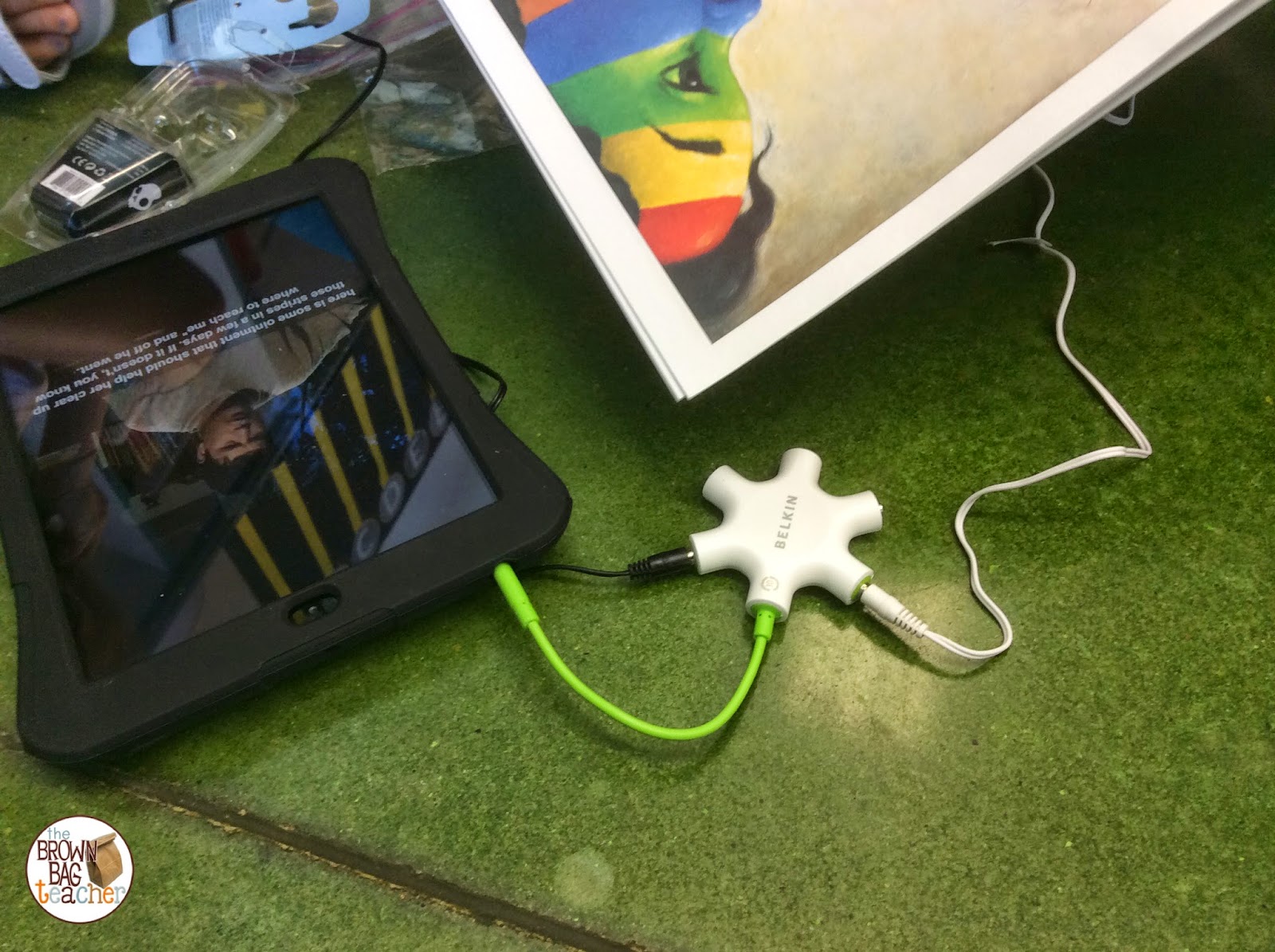



10 Responses
We use tumbleboks, storyline online, and youtube to listen and read along to books. I love your idea about recording a book and saving the link as a QR. That would be perfect for us!
-Maria
Love this post. I am firm believer in the power of a listening center. I remember one year I had an overabundance of walkmans (I have no idea where I found them). I had baggies that included a walkman (with cassette tape) and book. The kids could grab these little kits anything they finished something early or right when they came in for school in the morning. There was a lot of growth that year. Not sure if that is exactly why….but let's go with that 🙂
Em
Curious Firsties
I love this. I know far too many administrators who do not "approve" of a listening center. However, I completely love them. Add some comprehension activities as you do, and it is perfect! 🙂
Meredith
Download New Itunes Codes Generator 2015 Free Working Here:
http://dlhack.com/download/itunes-code-generators
http://dlhack.com/download/itunes-code-generators
http://dlhack.com/download/itunes-code-generators
http://dlhack.com/download/itunes-code-generators
http://dlhack.com/download/itunes-code-generators
http://dlhack.com/download/itunes-code-generators
http://dlhack.com/download/itunes-code-generators
http://dlhack.com/download/itunes-code-generators
http://dlhack.com/download/itunes-code-generators
http://dlhack.com/download/itunes-code-generators
http://dlhack.com/download/itunes-code-generators
http://dlhack.com/download/itunes-code-generators
Hi! I am going to do a Donors Choose project for an iPod Touch. Which model did you end up getting? I love this post!
Would love if you would share your dropbox recordings and QR codes!!!
Use EPIC- it's free, and ABCMouse.com and RAZ-kids (not free)
I have been using Raz kids for three years. It comes with comprehension questions and gives the choice to listen,read and answer questions.
What do kids do if they are doing a reading comprehension sheet, but they are not finished once Daily 5 is over?
Hey Courtney! Not all activities take one round. Many times students will need to return to the choice during a later round or another day…and that’s okay!