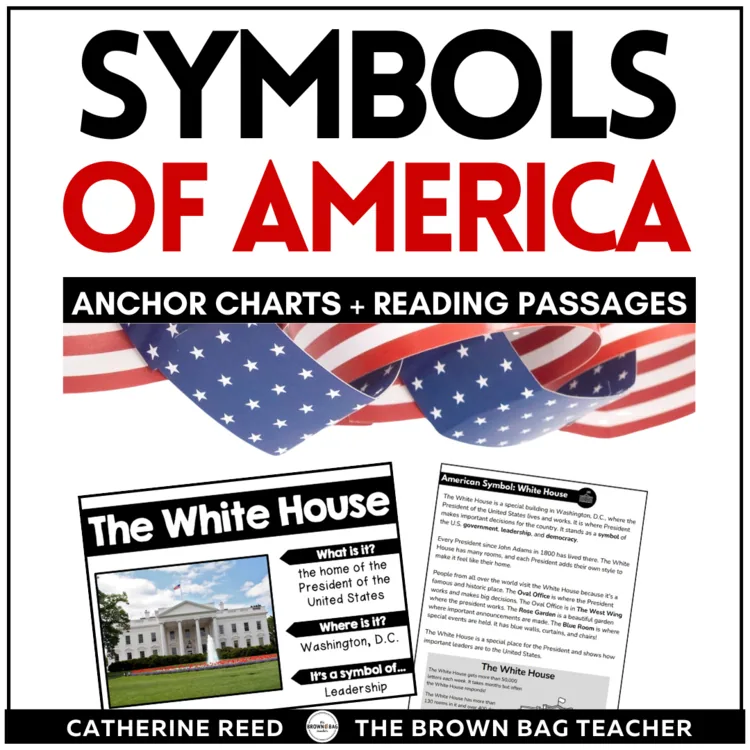
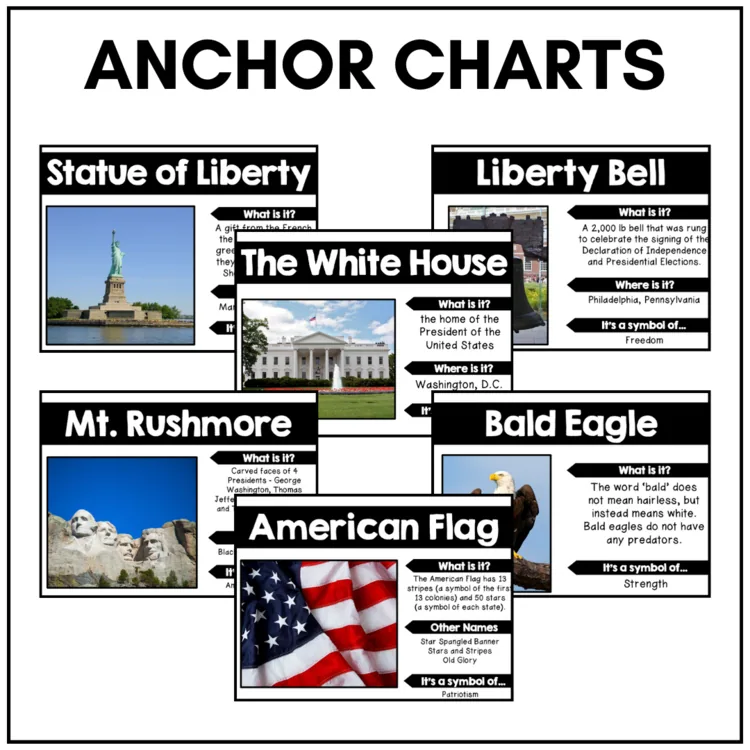
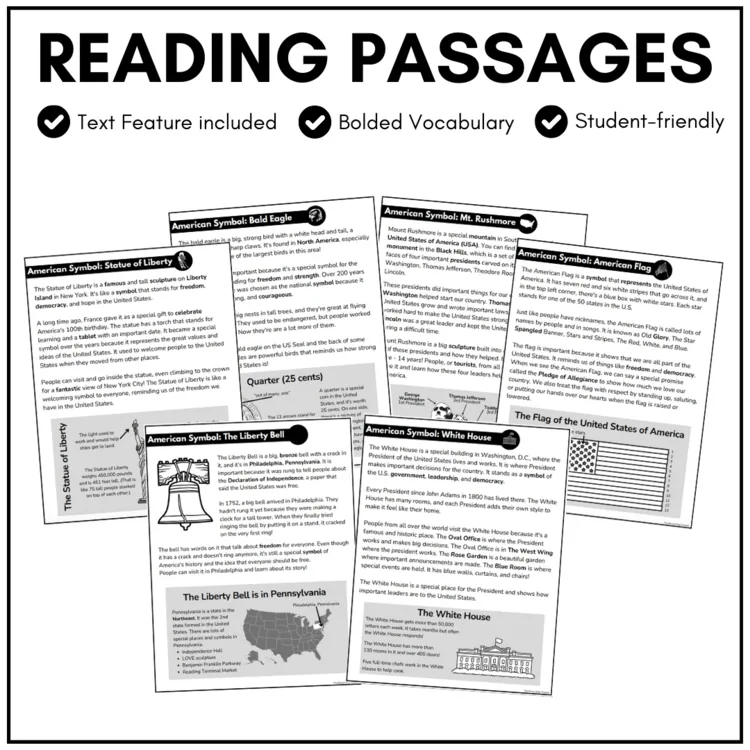
Bring your social studies lessons to life this February with this engaging President’s Day Symbols of America resource. Designed to help students explore six important national symbols, this set includes anchor charts, informational passages, and an interactive notebook activity that reinforces key facts in a student-friendly format.
Bring your social studies lessons to life this February with this engaging President’s Day Symbols of America resource. Designed to help students explore six important national symbols, this set includes anchor charts, informational passages, and an interactive notebook activity that reinforces key facts in a student-friendly format.
Perfect for President’s Day or American Symbols units, this resource builds background knowledge and supports reading comprehension through short, accessible texts and visuals that support whole-group instruction, small groups, or independent work.
Use this versatile resource for President’s Day activities, American symbols lessons, or cross-curricular reading and social studies practice.
✅ Download the preview to get a closer look at these templates and examples from my classroom!
130 reviews for Presidents Day Symbols of America | February Bulletin Board Ideas 1st 2nd Grade
Rated 5 out of 5
Teaching and Moore –
Thank you~!
Rated 5 out of 5
Nancy B. –
Good product. Please change the Star Spangled Banner chart to The US Flag chart.
Rated 5 out of 5
Brenda S. –
Thank You!
Rated 5 out of 5
Lisa Knoeppel –
Perfect! Thanks for sharing!
Rated 5 out of 5
Nancy B. –
Great resource for my kiddos!
Rated 5 out of 5
keylis M. –
I love the posters!
Rated 5 out of 5
Cynthia R. –
Love these anchor charts
Rated 5 out of 5
Cheri G. –
Thanks for these!
Rated 5 out of 5
sandra D. –
THANKS…:)
Rated 5 out of 5
Buyer –
Thank you!
Rated 5 out of 5
Cynthia D. –
thank you, very useful!
Rated 5 out of 5
Sara S. –
Great cards for vocabulary! Thanks!
Rated 5 out of 5
Tiffany Hughes –
These are very cute and a great visual to have in the classroom! I will definitely be putting them up for our American symbols unit…perfect!
Rated 5 out of 5
Terri S. –
These will be perfect to display when teaching that unit and easy for them to put in their journals. Thanks for sharing!!!
Rated 5 out of 5
Kristine White –
Great visual reminder for my kiddos! Thanks for sharing!
Rated 5 out of 5
Unitedtoteach –
These are very graphically pleasing to the eye. I would love to feature this product in my July newsletter pages that I send to my members of my website. It fits in so well with the History Page that I am working on. Every newsletter page that I share with my members has a section called “Cool Things We Came Across,” and I could feature your product there. I would provide a link back to your store. All I need is an email from you, stating I have your permission, as well as a link back to your store. You can email me at [email protected]
Thanks for sharing!
Right after you check out, your download links are on the order confirmation page, and your receipt email has the same links. Don’t see the email? Check your spam or promotions folder.
Each resource downloads as a .zip folder that holds all of its files.
iPhone or iPad: open the Files app, find the zip in Downloads, and tap it. It unzips into a folder you can open.
Mac: double-click the zip.
Windows: right-click the zip and choose Extract All.
My file won’t open or shows a file-path error.
This usually happens on Windows when the files are unzipped inside the Downloads folder, because the folder path gets too long. Move the zip to your Desktop, then right-click it and choose Extract All.
Still stuck? Reach out and I’ll help.
Do I need an account?
No, you can check out without signing up. An account is created for you automatically with the email you use at checkout, and you’ll get an email to set your password. If you already have an account, your order is added to it.
All major credit and debit cards, Apple Pay and Google Pay (through Stripe), plus PayPal and Venmo. Payments are processed securely, and your card details never touch this site.
What is your refund policy?
Because these are digital resources, they can’t be returned once they’re downloaded. Please look over the product description and preview before you buy.
If something is wrong with a file, or you bought the same resource twice by mistake, reach out and I’ll make it right.
Practical K-2 math and upper-elementary morphology ideas, straight to your inbox. No spam, unsubscribe any time.
They can make ten. Can they use it?
Help students turn “I know ten” into “I can use ten.”
Join me for a hands-on workshop exploring what to model, which questions to ask, and how to respond when students get stuck using ten to add and subtract.
Includes a printable Teacher Toolkit, ready-to-use Number Talks, and the workshop recording.
Teaching and Moore –
Thank you~!
Nancy B. –
Good product. Please change the Star Spangled Banner chart to The US Flag chart.
Brenda S. –
Thank You!
Lisa Knoeppel –
Perfect! Thanks for sharing!
Nancy B. –
Great resource for my kiddos!
keylis M. –
I love the posters!
Cynthia R. –
Love these anchor charts
Cheri G. –
Thanks for these!
sandra D. –
THANKS…:)
Buyer –
Thank you!
Cynthia D. –
thank you, very useful!
Sara S. –
Great cards for vocabulary! Thanks!
Tiffany Hughes –
These are very cute and a great visual to have in the classroom! I will definitely be putting them up for our American symbols unit…perfect!
Terri S. –
These will be perfect to display when teaching that unit and easy for them to put in their journals. Thanks for sharing!!!
Kristine White –
Great visual reminder for my kiddos! Thanks for sharing!
Unitedtoteach –
These are very graphically pleasing to the eye. I would love to feature this product in my July newsletter pages that I send to my members of my website. It fits in so well with the History Page that I am working on. Every newsletter page that I share with my members has a section called “Cool Things We Came Across,” and I could feature your product there. I would provide a link back to your store. All I need is an email from you, stating I have your permission, as well as a link back to your store. You can email me at [email protected]
Thanks for sharing!