As a student, I often have to deal with writing papers on medical topics. Sometimes it is very difficult for me and I take the help of specialists. They always help me with the disclosure of any even the most complex topic.
Very interesting. I wanted also to share a quick tip I discovered while working on a student project. So, I was creating a presentation using Google Slides, and at one point, I needed to convert the slides into a PDF document. But guess what? Google Slides doesn’t directly export to PDF. I was stuck until I stumbled upon this cool online tool https://pdfflex.com/png-to-webp It lets you easily convert files in pdf format. Super handy when you’re in a pinch and need to share your presentation in a different format. Hope this helps someone else out there too!
Interesting post. I’ve learned that a well-designed presentation can make a big difference. By applying pitch deck design principles from pitch deck design slidepeak I was able to create slides that are both engaging and easy to understand. This approach not only improved the visual appeal but also helped communicate ideas more effectively, making the presentation more impactful for students.
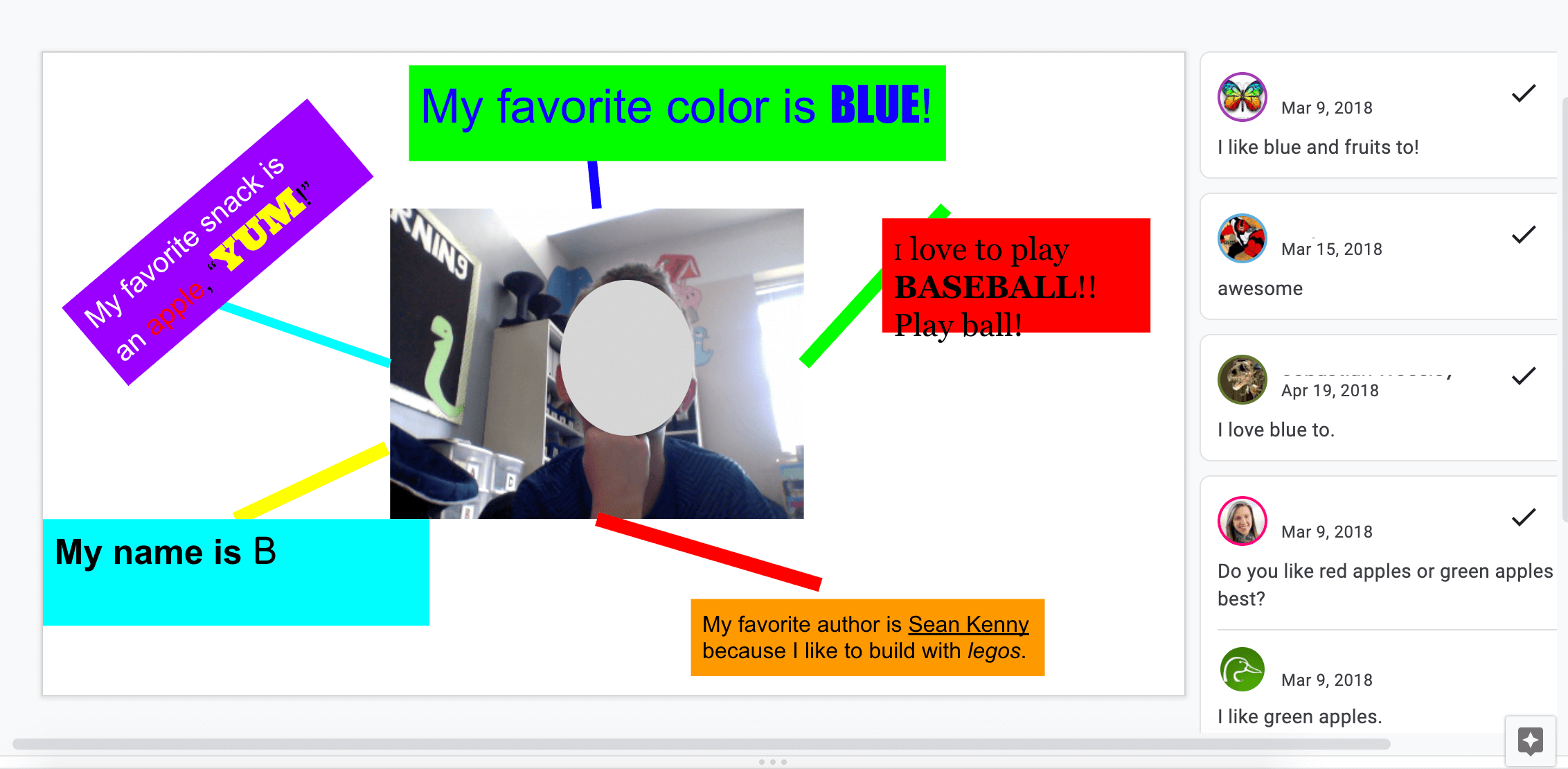
This Student Google Slide example is really helpful for visualizing projects and organizing ideas clearly 👌. I also found some useful templates to save time while creating presentations: Download SlideShare slides in PDF
When students are already creating ideas through Google Slides like in this example, tools such as free can quietly support the process by helping organize and polish slide content. It works well alongside student-driven slide activities where structure and visual flow matter, without interrupting how they already work. That kind of flexibility fits naturally into classroom presentations, reflections, or collaborative projects.
As a student, I often have to deal with writing papers on medical topics. Sometimes it is very difficult for me and I take the help of specialists. They always help me with the disclosure of any even the most complex topic.
Very interesting. I wanted also to share a quick tip I discovered while working on a student project. So, I was creating a presentation using Google Slides, and at one point, I needed to convert the slides into a PDF document. But guess what? Google Slides doesn’t directly export to PDF. I was stuck until I stumbled upon this cool online tool https://pdfflex.com/png-to-webp It lets you easily convert files in pdf format. Super handy when you’re in a pinch and need to share your presentation in a different format. Hope this helps someone else out there too!
Interesting post. I’ve learned that a well-designed presentation can make a big difference. By applying pitch deck design principles from pitch deck design slidepeak I was able to create slides that are both engaging and easy to understand. This approach not only improved the visual appeal but also helped communicate ideas more effectively, making the presentation more impactful for students.
Your words resonate deeply and provoke Drift Boss introspection.
This Student Google Slide example is really helpful for visualizing projects and organizing ideas clearly 👌. I also found some useful templates to save time while creating presentations: Download SlideShare slides in PDF
When students are already creating ideas through Google Slides like in this example, tools such as free can quietly support the process by helping organize and polish slide content. It works well alongside student-driven slide activities where structure and visual flow matter, without interrupting how they already work. That kind of flexibility fits naturally into classroom presentations, reflections, or collaborative projects.