Today I come to you with THE best
reading resource I have found since I started in Intermediate Land {and this
statement is not even a hyperbole}. Several weeks ago I was perusing Tracee Orman’s 1:1 Technology Board
and went to reading teacher heaven. She featured a website called News ELA and
within the hour I had added my 94 kiddos.
reading resource I have found since I started in Intermediate Land {and this
statement is not even a hyperbole}. Several weeks ago I was perusing Tracee Orman’s 1:1 Technology Board
and went to reading teacher heaven. She featured a website called News ELA and
within the hour I had added my 94 kiddos.
News ELA is a website that offers free
current events and news articles for teachers and students. With hundreds of
articles {that are updated weekly}, articles on War & Peace, Science, Kids,
Money, Law, Health, and Arts are all featured. Once you sign up for an account,
you can view the articles online or print them out. Now, we all know how hard
it is to find developmentally appropriate reading materials for middle grades,
so this is AMAZING. But, this is not why this website {note – this is NOT an app} is so amazing!
current events and news articles for teachers and students. With hundreds of
articles {that are updated weekly}, articles on War & Peace, Science, Kids,
Money, Law, Health, and Arts are all featured. Once you sign up for an account,
you can view the articles online or print them out. Now, we all know how hard
it is to find developmentally appropriate reading materials for middle grades,
so this is AMAZING. But, this is not why this website {note – this is NOT an app} is so amazing!
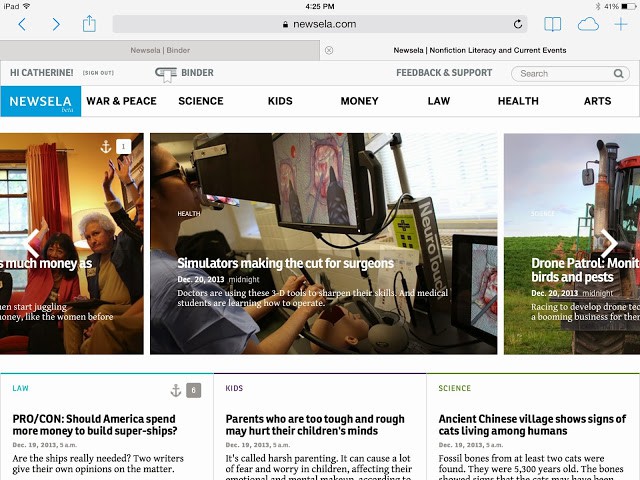
The kicker??? Every article is available in 4-5
different Lexile Levels that you choose using the blue menu shown below!!!! Since you
cannot assign a specific reading level to students, your students will need to
know their own Lexile Level. Regardless of the level, the students are reading
the same article! Below you can see the same article on 4 different levels {3rd
grade, 4th grade, 6th grade, 9th grade}.
Notice how the article’s title changes – how cool!!!!!
different Lexile Levels that you choose using the blue menu shown below!!!! Since you
cannot assign a specific reading level to students, your students will need to
know their own Lexile Level. Regardless of the level, the students are reading
the same article! Below you can see the same article on 4 different levels {3rd
grade, 4th grade, 6th grade, 9th grade}.
Notice how the article’s title changes – how cool!!!!!


When you set up your class, you receive
a class code that students use to create their own accounts. Then, as a teacher, you can assign articles to be read. Since students will be using this site
during literacy centers, I have ‘assigned’ 5 different articles and will ask my
students to read 2 of them during each station {allowing for choice based on
interests}.
a class code that students use to create their own accounts. Then, as a teacher, you can assign articles to be read. Since students will be using this site
during literacy centers, I have ‘assigned’ 5 different articles and will ask my
students to read 2 of them during each station {allowing for choice based on
interests}.
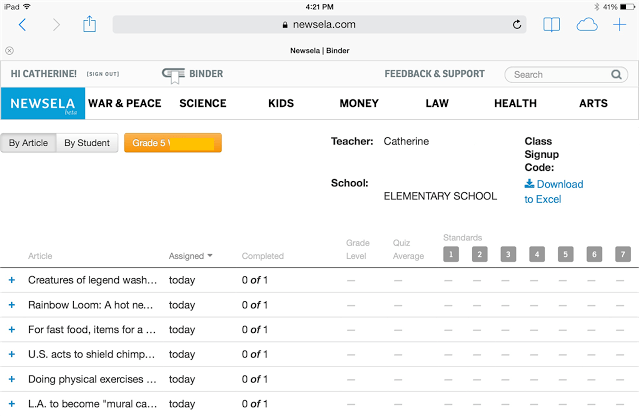
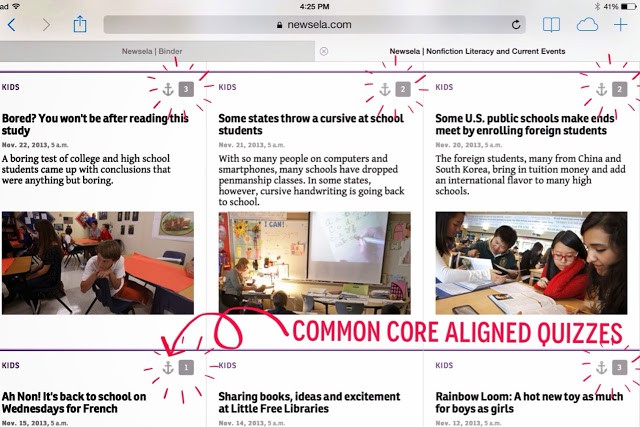
Now comes the accountability. How do I ensure that students are actually reading the articles? Well, friends, I am SO glad you asked. Articles marked with an anchor {see below} have Common Core aligned quizzes. Each quiz is aligned to a certain ‘anchor standard’. As students take the quizzes, your Teacher Binder automatically updates with the level of quiz students took and their score on the Common Core standard assessed.
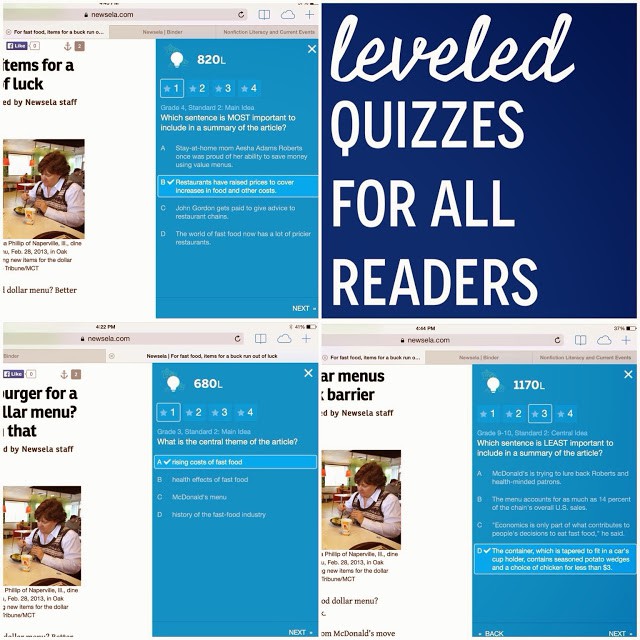
The quizzes are based on the
Lexile Leveled article students read. Each question on the quizzes tells
students what grade level, standard, and skill is being assessed!!! I love
that my kids are given the ‘why’ for each question. As students take the quiz,
they can go back and reference the article, which makes this PERFECT for test
prep practice! After students submit their answers, they learn their score and
are asked to review their incorrect answers.
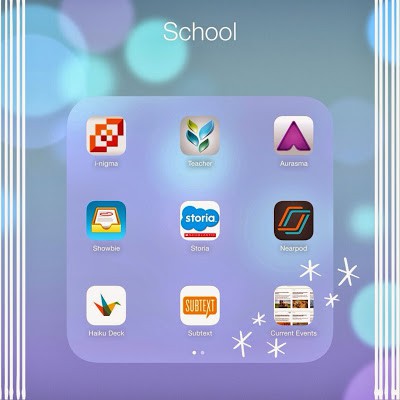
Since this is a website resource {not
an app}, I created an iPad Icon for my students’ iPads. This way students have
easy access to the website and do not have to go wandering the internet to find
the site!
an app}, I created an iPad Icon for my students’ iPads. This way students have
easy access to the website and do not have to go wandering the internet to find
the site!
Well, friends – are you excited??? I am
SO giddy and SO thrilled. My 5th
graders loving learning about current events and the world, so these articles
are perfect. There is nothing inappropriate and they are developmentally appropriate.
Plus, look at the differentiation! I am beside myself; I am so excited. Eeekk – so do you already use News ELA? I would love to hear how News ELA in your classroom!
SO giddy and SO thrilled. My 5th
graders loving learning about current events and the world, so these articles
are perfect. There is nothing inappropriate and they are developmentally appropriate.
Plus, look at the differentiation! I am beside myself; I am so excited. Eeekk – so do you already use News ELA? I would love to hear how News ELA in your classroom!
Best web hosting companies. Reviews, rates, statistics of top hosting companies.
Find best hosting company at http://www.HostingCompaniesz.com
Its really nice. I found some good blogs for reading. I make a blog for reading. its really interesting blog with good content. http://www.articles4al.blogspot.com/
This looks amazing! Thank you so much. I can't wait to check it out!
This looks amazing. Thanks for sharing!
Oh my goodness! I am super excited. I can't wait to put it to use. I teach an enrichment class and this would be a good way to differentiate what they are reading.
Thank you so much for sharing,
Laura
TIPS: Teach, Inspire, and Prepare Students
Of course, Tracee! Your 1:1 Pinterest Board is one of my favorites. Thanks so much for maintaining it. 🙂
Hahaha – isn't crazy how excited we get about teacher things??? It's an awesome reminder that we're in the right profession! 🙂 Thanks for stopping by, Amelia. 🙂
Hi, Kelley! Great question. I actually went ahead and entered all 94 of my kids. It took me about an hour, but to me, it was worth it. I went ahead and put the kid's usernames on Avery Labels, so I can add them to the inside of their agendas. 🙂 -Catherine
Wow! Thanks for sharing! You said you signed up all your students; did you register each student, or will you guide them through the process?