
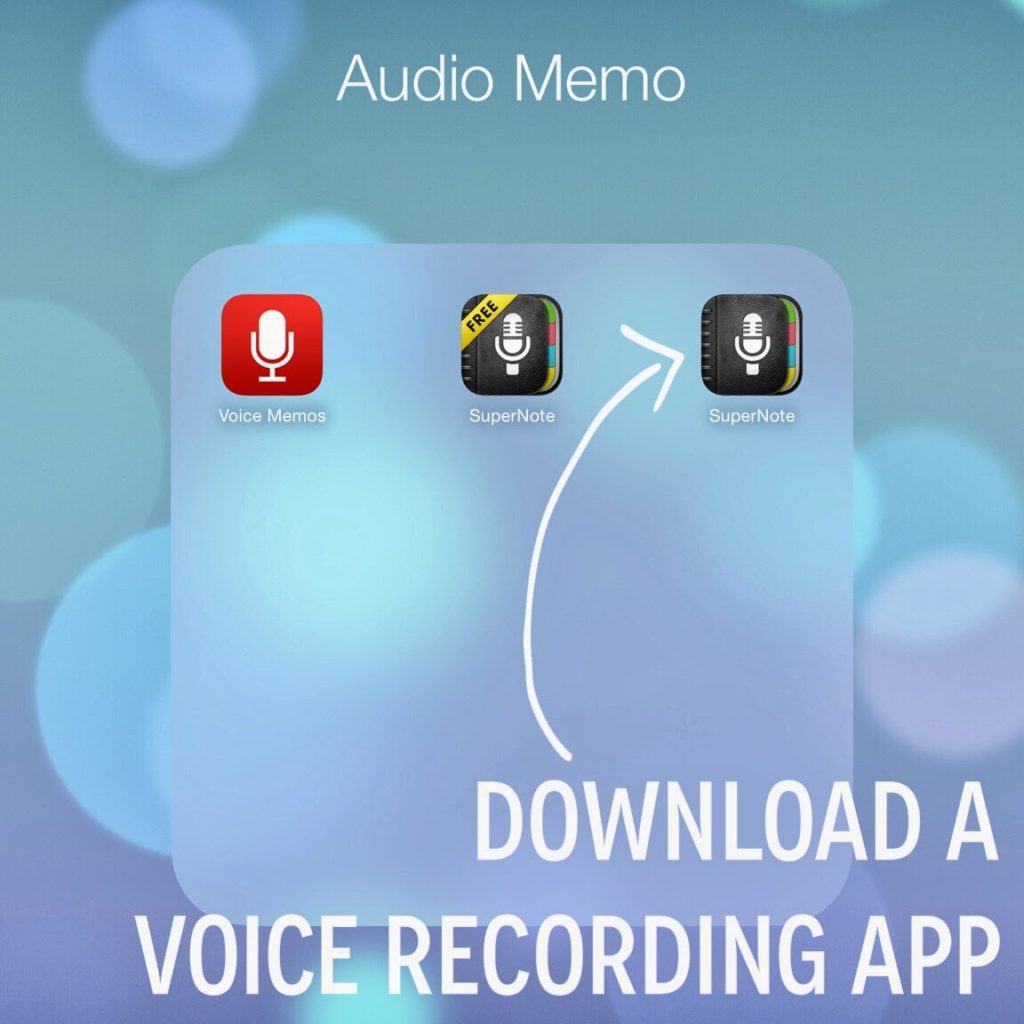
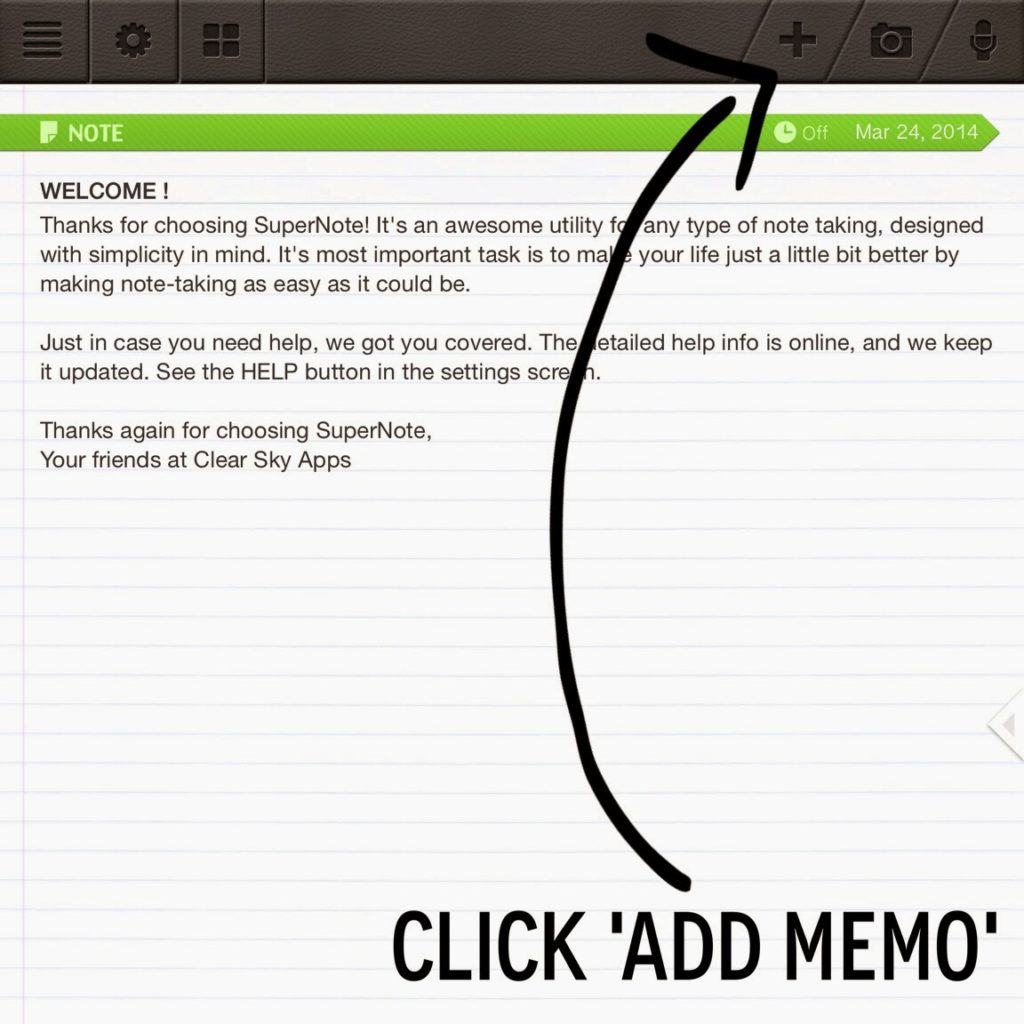
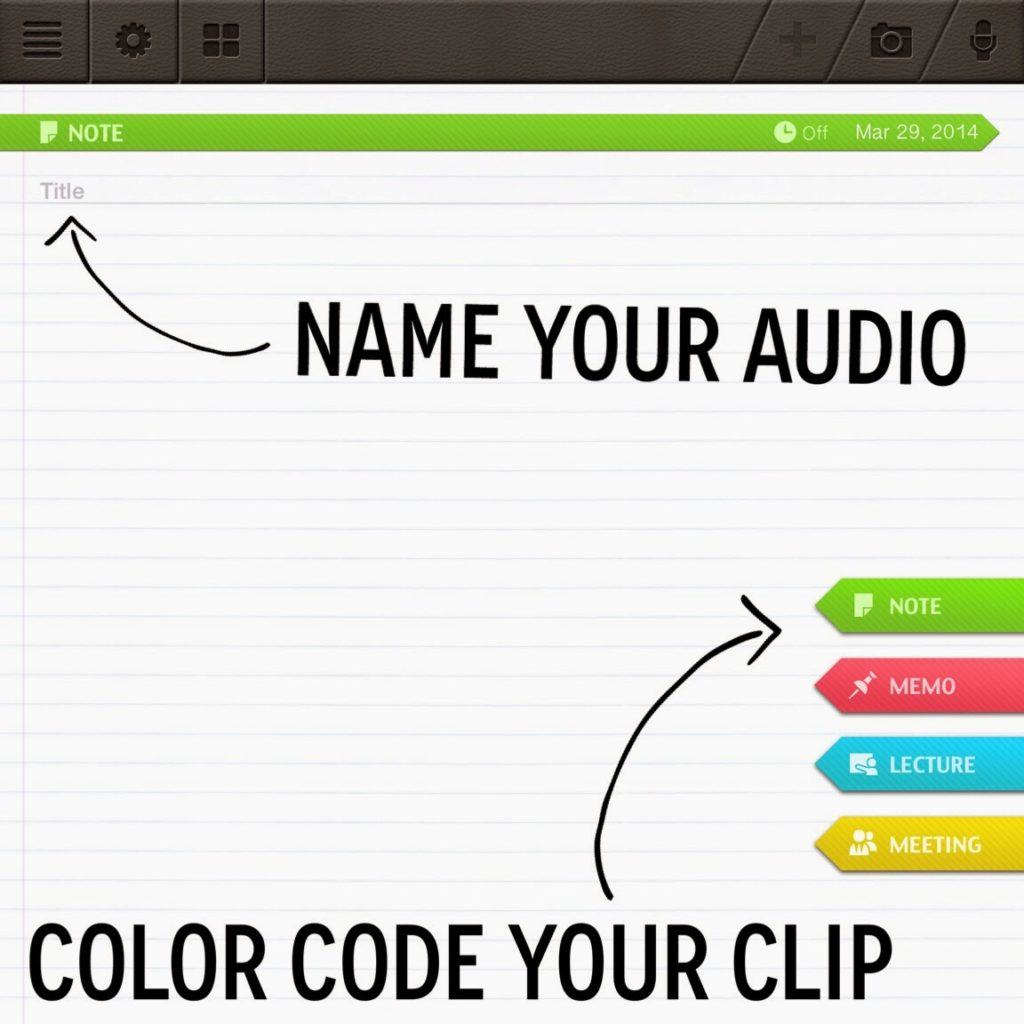
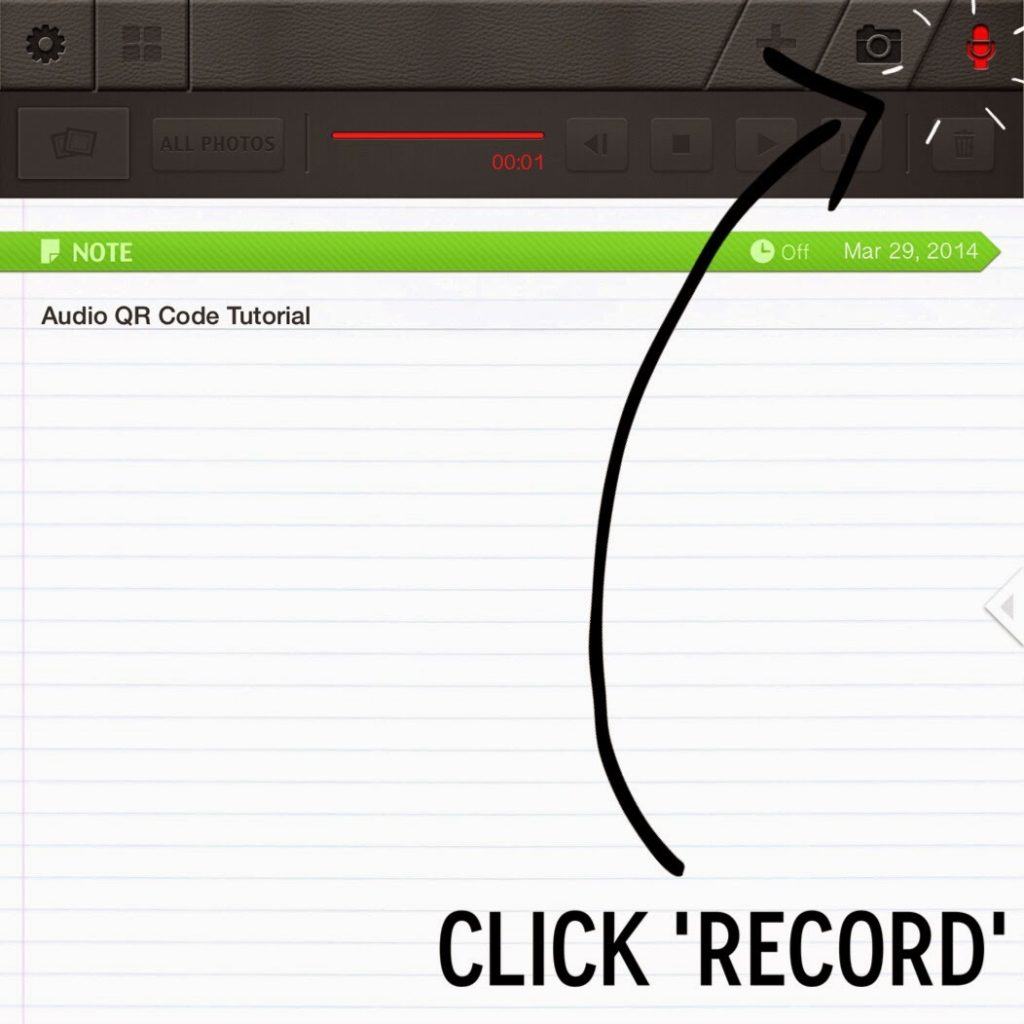
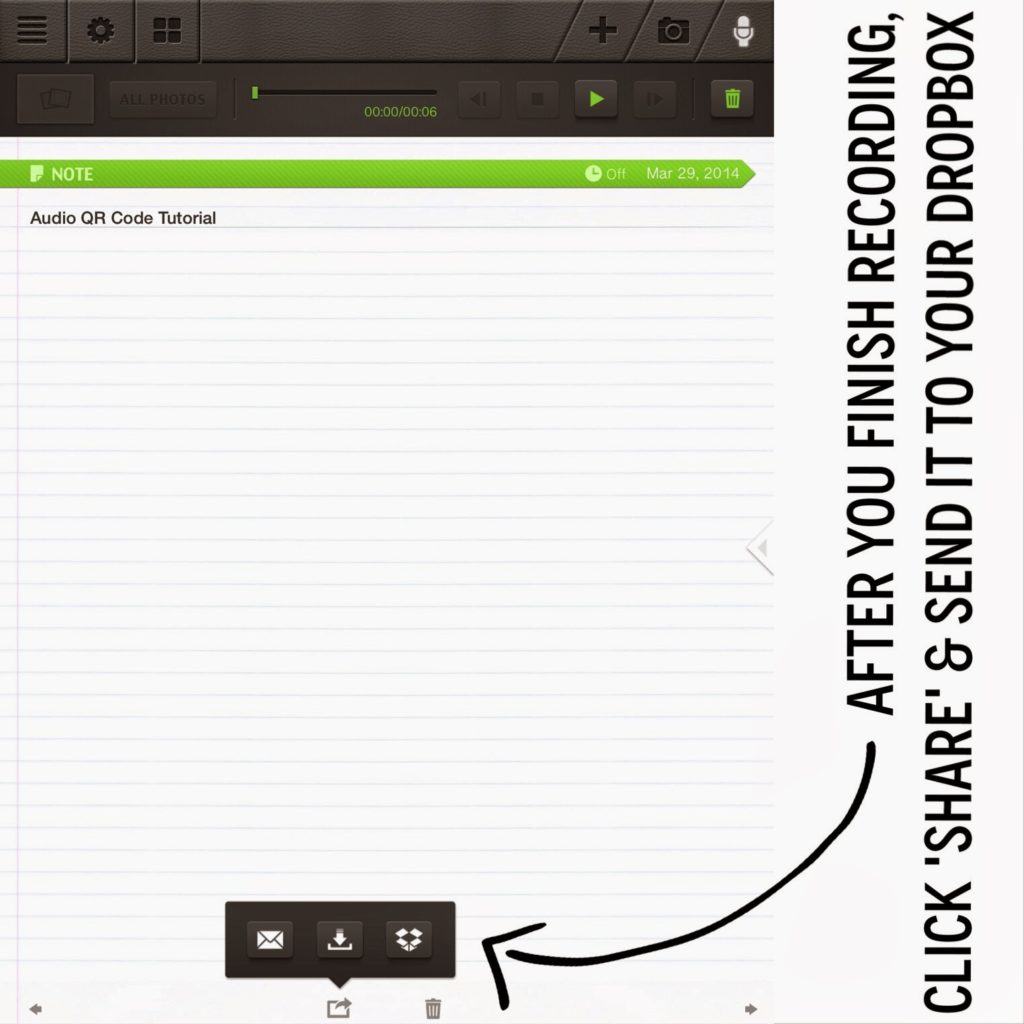
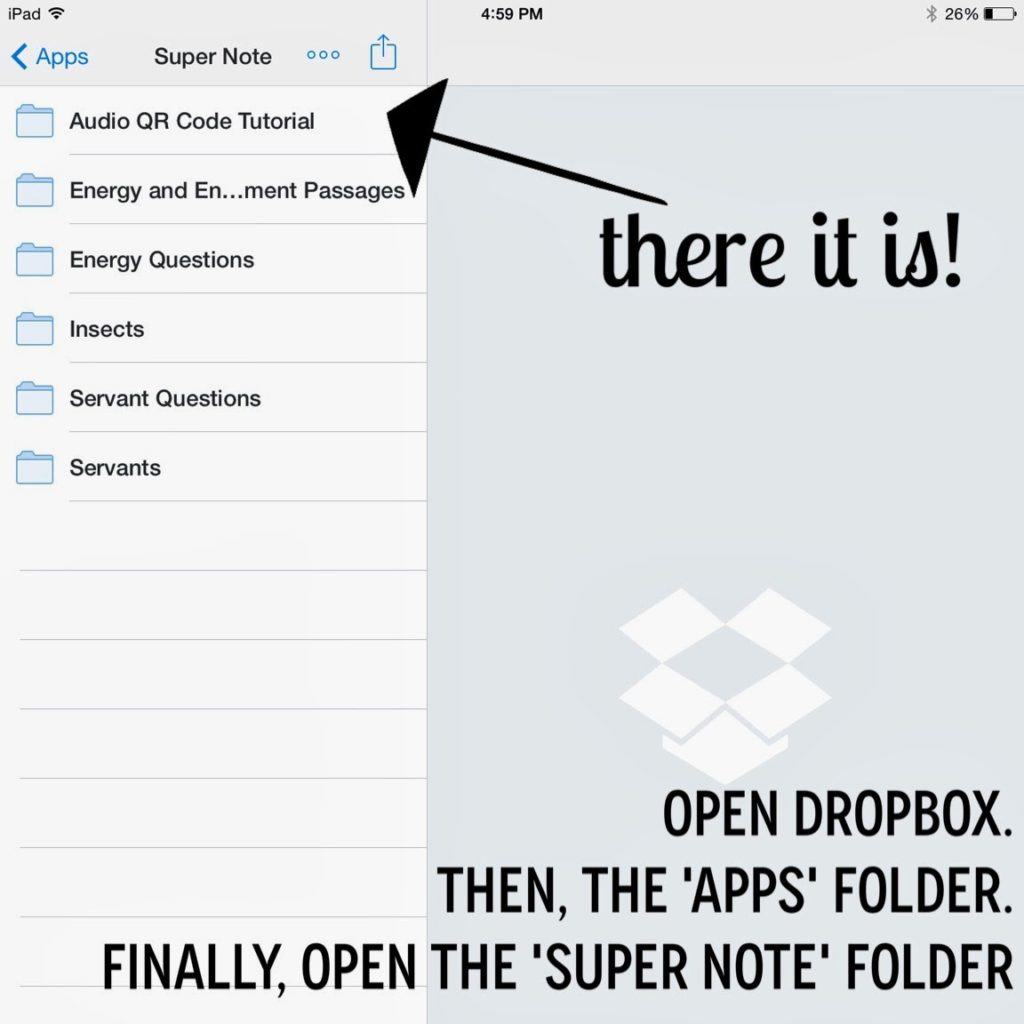
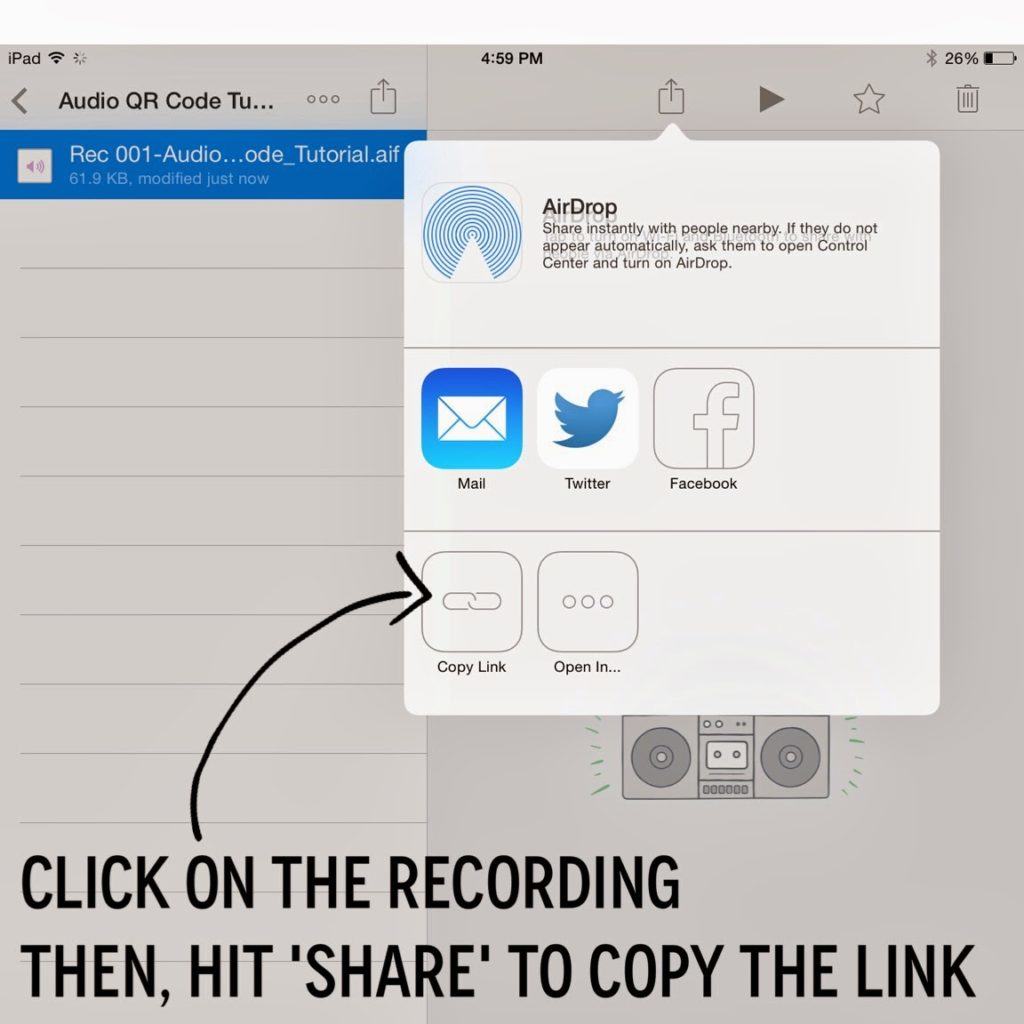
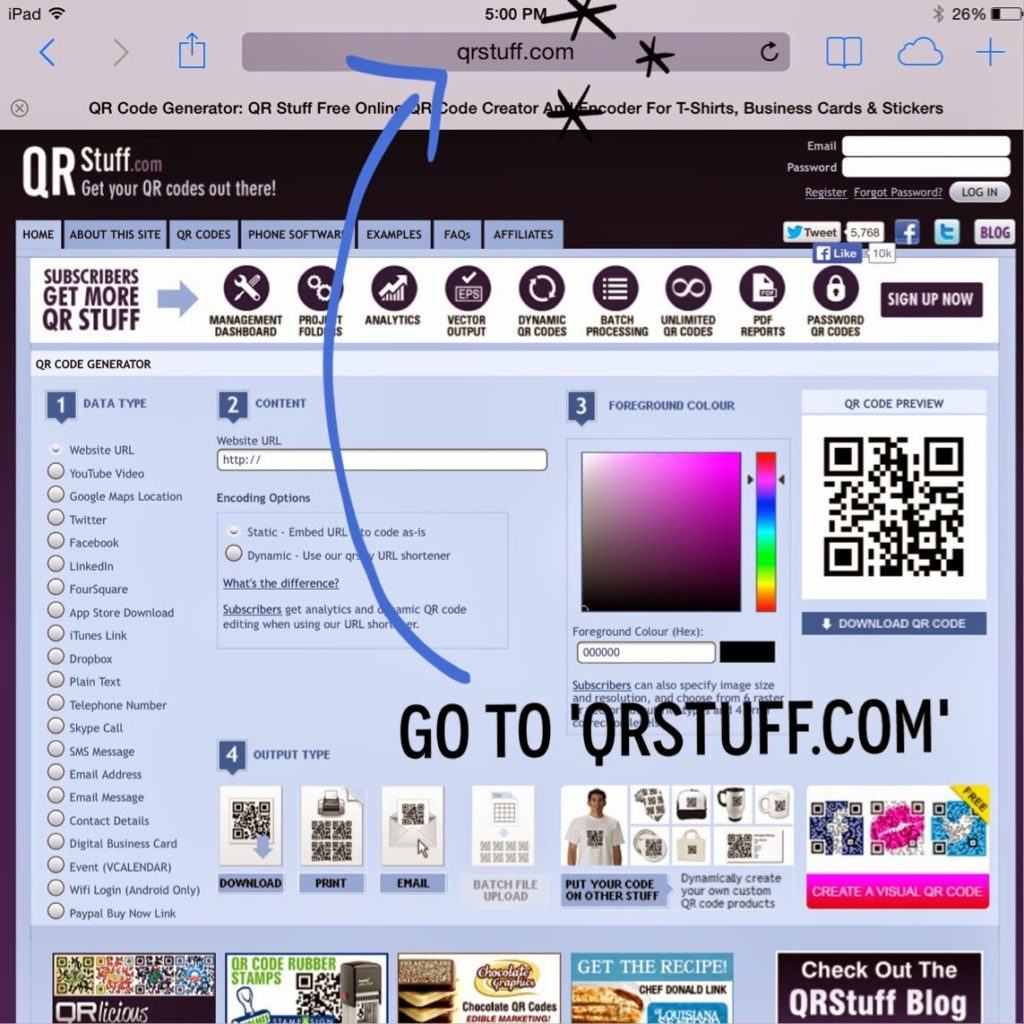
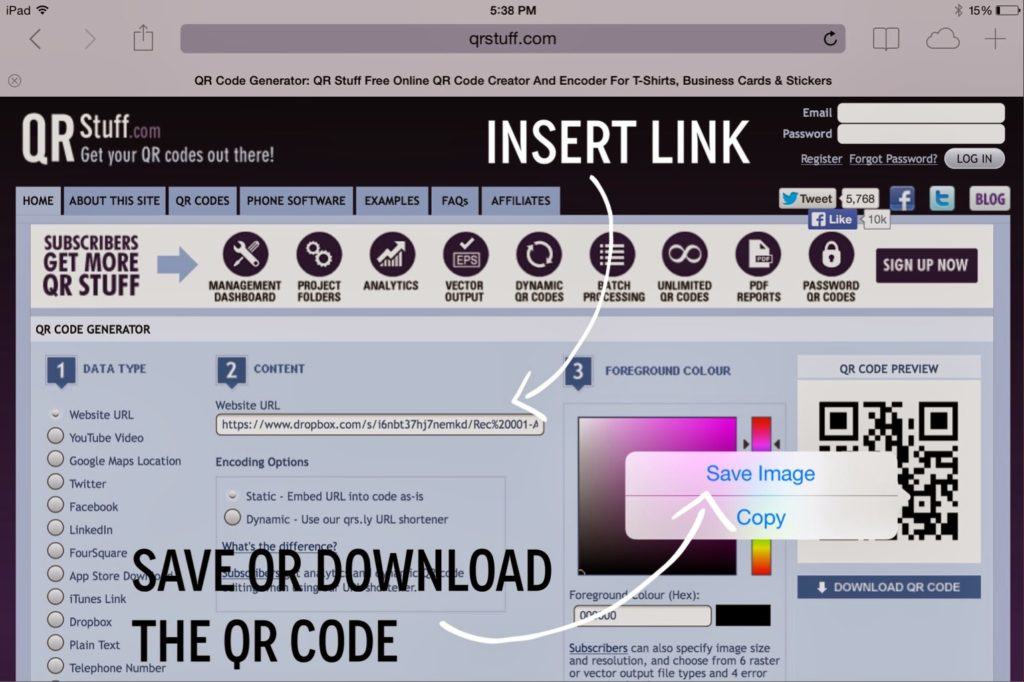
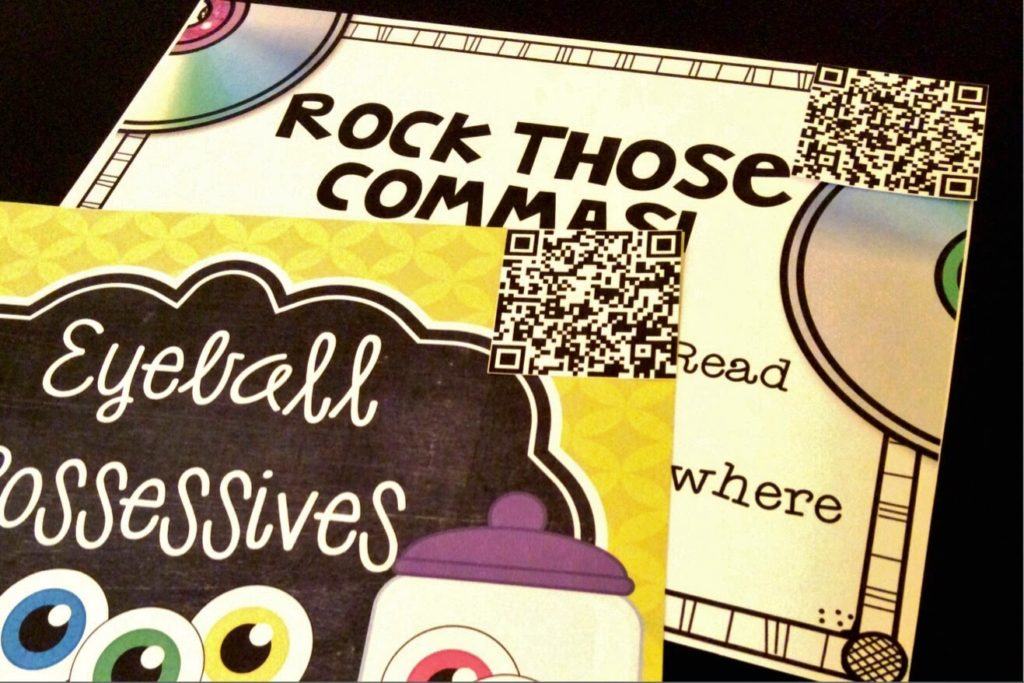
Insert your link and then, save your QR Code. Now, you may add your QR code to a class website or blog, print it and attach it to a literacy center or test, or add it to a business card….whatever your heart desires. Go crazy, friends.
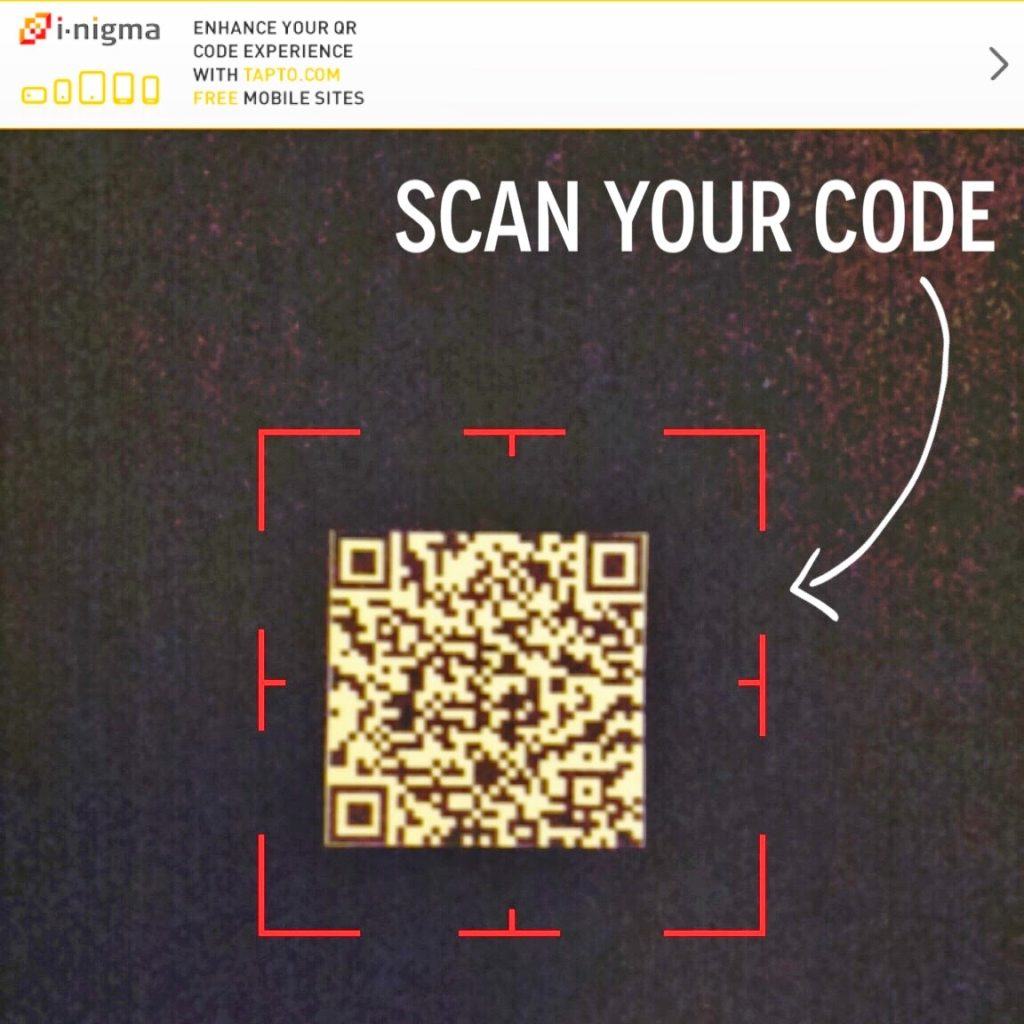
Now, using an Audio QR Code is exactly like any other QR Code. Scan the code and click, “Go online.”
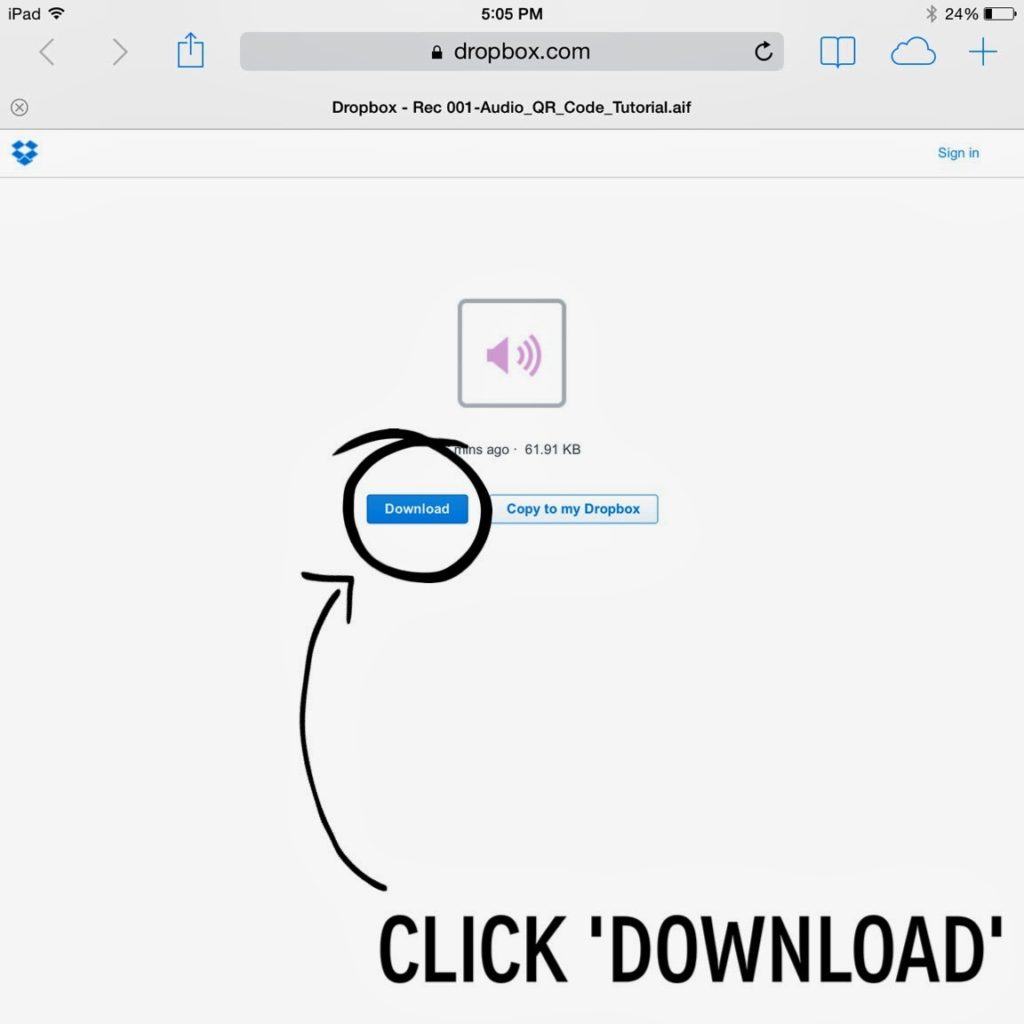
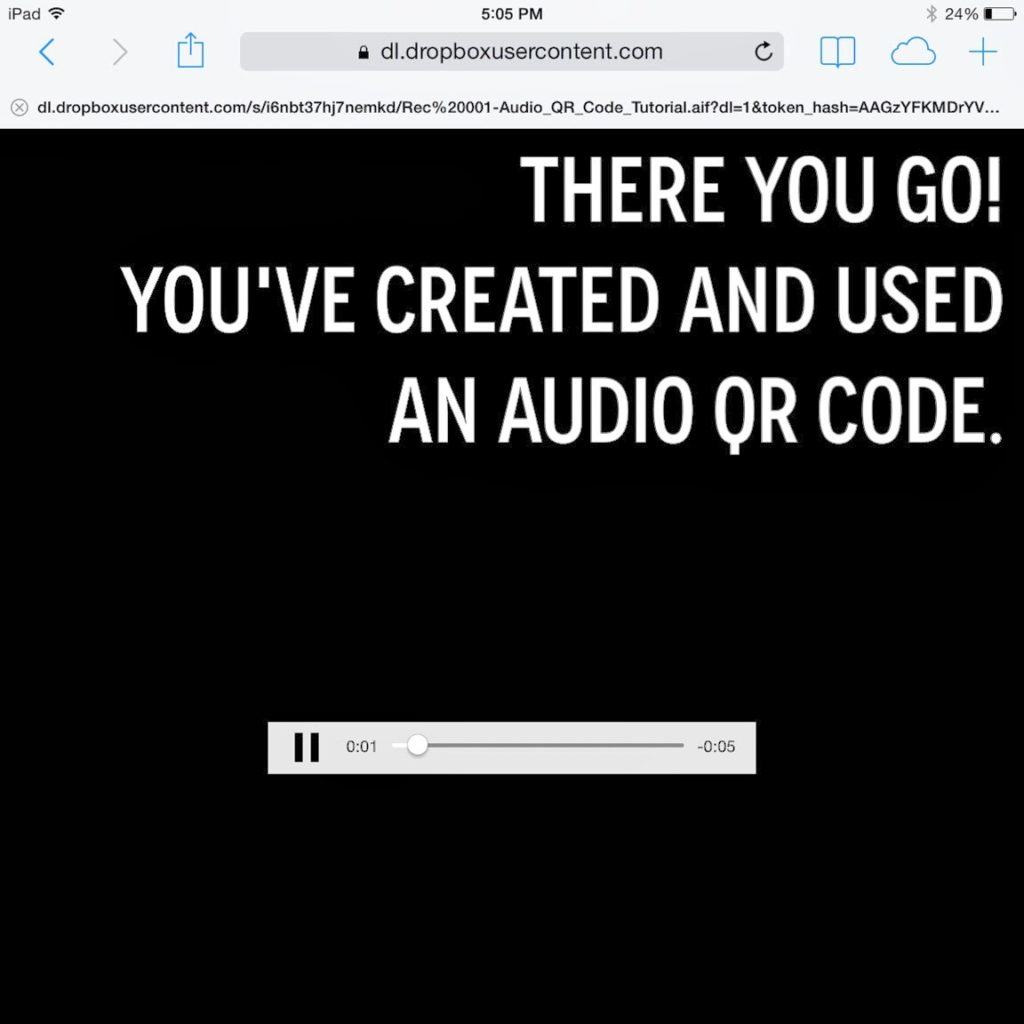
Voila! Your audio recording opens and begins playing. From here you may pause, rewind, and replay as many times as you would like! 🙂
My favorite 2 places to use QR codes are literacy centers and assessments. I attach a QR code to the corner of the center and my kids can scan it. They’ll hear me saying the “I Can” statement and giving any directions/tips/reminders for the center!
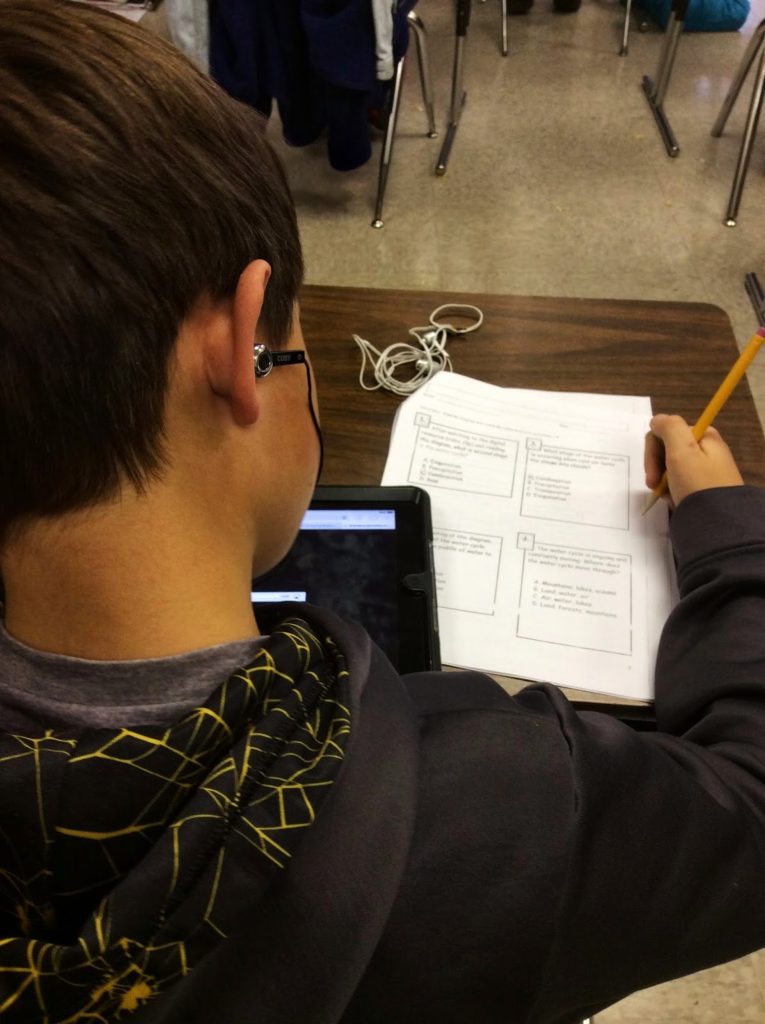 Now, for the moment that sold Audio QR Codes for me… In my middle group, I have 2 students who receive readers for all grade-level material. Since this is not my co-teaching class, on test days, I pull a stool up to these boys and read. I try to do this as discreetly as possible, but it definitely singles out these boys, but even my quiet reading disturbs those working independently. Additionally, the boys are TOTALLY different test takers. One is slow and methodical. He wanted to hear every passage and question 2 times. The other wants to hear every passage and question once. So, there is really no happy-medium. Here enters audio QR Codes…For our last common assessment, I pre-read all of the passages and questions (it took about 20 minutes for a 17 page test). Then, I printed and attached the QR code to each article. I pulled both boys and explained the process. They each grabbed an iPad from the cart, and a set of ear buds from their pencil pouches. They placed the iPads in their laps, put the ear buds in, and off they went. It was AMAZING! Both boys had complete control over their testing pace and no one even noticed their accommodation. It was magical. This is my case for Audio QR Codes.
At first, this seems like a daunting process, but DO NOT FEAR! Once you’ve done it a few times, it is fast. Using Audio QR Codes has been a huge asset to my classroom and really keeps my students working independently.
So, please tell me – How do you use Audio QR Codes???
I love your site! I am trying to create audio links so test questions can be read by any student, including my students on an IEP. Reading six test to six different kids is getting a little old! I tried creating a link to an mp3 in my dropbox, but when I scan the QR code, it wants me to download it instead of simply playing it. Your examples look exactly like my links to dropbox, but yours play when I scan them. What gives? Thanks!
Labels: Make Audio QR Codes barcode Audio QR Codes iPad QR Code
Great ideas for sure come from great teachers TU for this very hard work and for sharing.
Absolutely! Anywhere that gives you a link. 🙂 Thanks for stopping by!
Can it be saved somewhere other than dropbox? For example a Wikispaces or Google website?
Yes, my LLI boys love using it for fluency practice, too. It's always a treat to "make a movie" of our reading. 🙂
Thank you, Miss Sarah! You're too kind. 🙂
Absolutely, Tchur8! You will absolutely love your iPad. It has totally changed the way I teach. If you search my blog (iPad), you'll see some great free apps we use all the time! 🙂
Oooh – I love the idea of using them to differentiating spelling test! Awesome. 🙂
Fabulous as always!
I was so excited to find this post today! We were just given an iPad each for our classrooms and now I need to find ways to integrade it. This is great!! I'd much rather put the learning tools into the hands of my students….they get so much more out of it.
That is a wonderful idea! I especially love the moment with the test takers at the end!! It is a must try for sure!
~Susan
Adventures in 4th Grade
THIS IS AMAZING!!!! I've just started playing around with QR codes and love them! I've also been interested in using some audio/video for a code…this will be suuuuper helpful!! 🙂 Thanks, Catherine!!
-Aris
This might be my answer to differentiating spelling tests. I also love the idea of attaching directions to center and independent work. Thank You!
Love the accommodation that you make for those boys! What great use of technology to help them access the text!
What I Have Learned
This is amazing – I love how you are integrating technology to not only keep your students engaged but to differentiate instruction in a seamless way – love!!!
I love SuperNote and use it to record my student's reading fluency which I share at conferences. I think perhaps, I will have a few of my best readers record themselves reading our decodable books and make into QR codes for my students. Thanks for the tips.